Take on the NES Library

An 8-bit Extravaganza!

Finished

APR
17
2018
0

#72 – Chubby Cherub

An early third-party NES game featuring a fat angel? Why not?

Nice melody here!

To Beat: Finish Stage 12
Played: 1/21/18 – 1/30/18
Difficulty: 8/10
My Difficulty: 8/10
Video: Chubby Cherub Longplay

I know this is just me, but when people refer to an NES game as a bad game, it piques my curiosity. It’s tough to be objective about this sort of thing. I would guess most gamers out there don’t care about the NES and that most games on the console to them are bad aside from a few well known titles. Think Super Mario or Mega Man. I’m far on the other end of the spectrum where I believe most NES games are good and worth looking at, with only a small handful of games that I don’t enjoy. Chubby Cherub has the reputation of a bad game from my view of things, and look, I totally get it. I’m not going to go to bat for Chubby Cherub and defend it as some misunderstood masterpiece, far from it. What I will try to outline here is both some context and gameplay ideas that are at least interesting.

The history of this game begins with Obake no Q-taro, a defunct Japanese manga written by Fujiko Fujio. Originally running from 1964-1973, it features an obake named Q-taro who likes to fly around and cause mischief. An obake is like a ghost in Japanese culture. I’m not well versed in all of this, but I think this is enough to carry the idea. There were three separate anime series all roughly two years in length beginning in 1965 with the first series and ending in 1987 with the last. There was also a full-length anime film in 1986, and a much shorter film the following year. Unless there is some future reboot in store, that’s the last the world has seen of Q-taro.

Obake no Q Tarou: Wanwan Panic is the Famicom game based on the manga. The game was developed by TOSE and published by Bandai. It was released in Japan in December 1985. The NES version of the game was renamed to Chubby Cherub, also published by Bandai in October 1986. Gameplay is identical between the two versions, but the localized version replaced Q-taro with a flying angel.

A weird choice for a protagonist.

This is a good time to talk about the difference between 3-screw and 5-screw NES carts. Early cartridges were held together by five screws, one in each corner and one in the middle. These are small, flathead screws so you can take the game apart easily if you really want to. Sometime in 1987, Nintendo redesigned the cartridge shells to have interlocking tabs on the top of each cartridge beside the end label, removing the need for two of the corner screws. Some early 3-screw carts still have flathead screws before they were replaced with the hexagonal security screws used in Nintendo cartridges for many years. The reason I bring this up now is that Chubby Cherub is one of earliest NES games so it is a 5-screw cart. In fact, Chubby Cherub was not reprinted after the switch to 3-screw cartridges so it is only available as a 5-screw cart. There are only a few NES games like this.

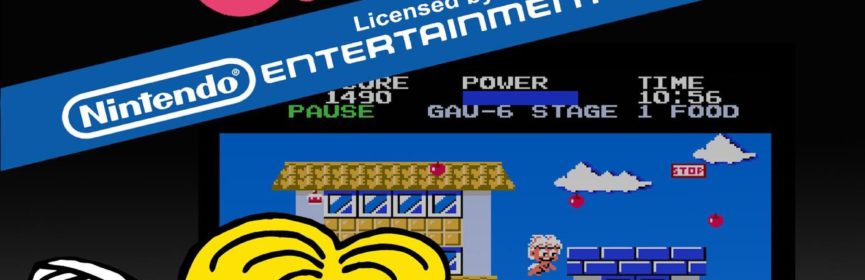
Chubby Cherub is a side-scrolling action game. Our hero is but a simple angel who just wants to eat delicious food and help his friends. Alas, this cruel, evil world stands in the way of helping his friends. They are trapped in buildings or held hostage by a burglar and only Chubby Cherub can save them. To get to them, simply work your way from left to right to reach the end of each level while avoiding all kinds of dangers like smoke, birds, and barking dogs. You must complete all twelve levels to beat Chubby Cherub.

The controls take a little getting used to. Walking is easy enough. Just press Left or Right to move. You can tell right away that this is an early NES game because the B button is used for jumping. Yuck. Jumps are loopy and slow, and he always jumps the same height. You have full horizontal control while jumping. However, if either you walk off a ledge or are positioned inside a floor tile at the apex of your jump, you will be locked into place horizontally as you slowly fall to solid ground. Hold Down and press B when standing to fall in this same manner through high walkways. If you are holding B at the top of your jump, you begin flying in place. Now you can move in all eight directions. While flying you can travel freely through everything except completely solid blocks, and you move faster to boot. However, you can’t fly forever so you need to keep that in mind. The A button fires what the game manual calls the Gau-Gau cannon. I have no idea what that is supposed to be, but it looks to me like a heart-shaped vomit attack. You have to collect ammo before you can shoot and it is only effective against a few enemy types.

This is way too mischievous.

There is a lot of information on the status bar at the top of the screen. On the left side, you see your score at the top and hearts underneath it which denote your extra lives. In the middle is your power meter followed by how much Gau you have and the current stage number. On the right side is the level timer and the condition for earning bonus points.

The most important facet of Chubby Cherub is managing your power meter. It decreases as you play, acting as its own timer. Run out of power and you lose a life. You can restore a portion of the power meter by eating food that is strewn throughout the stages. This mechanic is better known from Adventure Island. Flying uses up power more quickly, and you have to maintain a certain amount of power to remain airborne. Now flying is the preferred way to get around in Chubby Cherub, so the pacing in the game is dictated by how often you can find food in order to keep flying. It turns out you can get through a lot of the game just by flying.

Dogs are the most dangerous enemy in the game. Q-taro in the manga is deathly afraid of dogs, so they pose the largest threat in Chubby Cherub by design. There are two different sizes of dogs and their movement patterns and aggression vary mostly by color. Recognizing these patterns and learning by experience are crucial to survival. The worst kind of dogs are the ones that bark. Dog barks are represented as icons with letters inside of them. Small dogs launch B’s for “bark” while big bulldogs fire two W’s for “wan-wan,” the Japanese onomatopoeia for dog barking. It’s a clever touch, and I’m proud to be able to use the word onomatopoeia in this blog in the proper context! Anyway, dog barks are aimed shots that move faster than you, and they are deadly to the touch. Certain groupings of dogs are among the most difficult parts of the game.

Why does the food float so high?

There are some items to help you in Chubby Cherub. The aforementioned food is all over the place, refilling your power meter and giving you between 10 and 50 points per piece depending on type. Lollipops are a much larger food item that gives you 100 points and four shots of the Gau-Gau cannon. You can only hold up to 9 Gau in reserve, but this is your one weapon to fight back against the dogs since they are the only enemy hurt by Gau. Sometimes collecting a food item generates a P icon above it. Collecting it not only gives you 200 points, but it also restores power and makes you invincible for several seconds. The angel blinks during this period and you can move through any enemy freely with one catch. Getting hit by a dog bark causes it to bounce off you harmlessly but you lose any remaining invincibility. A good strategy is to use your invincibility frames to get right up in a dog’s face to hit it with Gau.

There are other enemies present that are not affected by Gau. There are crows, birds, smoke, and balloons that defeat you with a simple touch. Balloons are the weirdest enemy concept I’ve seen in a while. What did Chubby Cherub ever do to them? There are also Chow Chow dogs but they aren’t affected by Gau and don’t bark at you. I don’t get that either! These enemies have their own patterns to deal with, some with multiple patterns. It’s a dangerous world out there.

All levels share a similar structure. About halfway through each stage you will encounter a rectangular stop sign. This freezes the scrolling and the objective is to collect all food on screen to make a special item appear on the left. Collect that item to get 500 points and then you can continue through the rest of the stage. Your friend needs to be rescued at the end of the level, and this is accomplished in one of two ways. Most stages end with a building or two and a large amount of food in front. Each piece of food opens the window above it when you grab it. Your friend is randomly hidden behind one of these windows and finding him or her ends the stage. But beware, there are also two aggressive dogs hidden behind these windows too. The manual gives good advice not to collect the food while moving upward because if there’s a dog hidden there you will run into it right away and lose a life. Every third stage ends in a simple boss fight with a burglar. He walks in from the right to the center of the screen and begins tossing bombs all over the place. The burglar drops a dog bone on his walk to the middle of the screen, and you need to grab this and throw it at the burglar with A. This causes dogs to appear from the left that scare the burglar away, saving your friend.

People should not be allowed to have all these bombs.

The boss battle with the burglar also indicates a change to the bonus point incentive. Every group of three levels out of the twelve has a unique way to earn bonus points at the end of the level. In stages 1-3, you earn 40 points for every piece of food eaten. You get a bonus for time remaining in stages 4-6. Levels 7-9 give you 200 points for each dog you knock out with Gau. Stages 10-12 give you 200 points for every hidden jewel you find, which is a special item unique to those stages. I think it’s a nice way to switch up your secondary objective.

The stage timer is also worth mentioning. Unlike a standard counter, it represents time on a clock. Stages start at 8:00am and you lose a life if you don’t finish the level by 8:00pm. The minutes tick by quickly, which is unrealistic given how slow you move in the game. The one neat thing about the clock is that every hour the background color palette changes a little bit to help indicate the passing of time. It’s something you might not recognize right away while playing. I think it’s clever given the age of this game.

There are some special areas in the game. Later levels have factories in them with smoke stacks. The puffs of smoke that rise out of these are deadly. Sometimes a ring of smoke will come out instead of a puff. Be very careful because this is still deadly if you touch the top of it, but if you touch the bottom of it instead, it will carry you with it up into heaven. This area is littered with cakes that give you a whopping 500 points each as well as crows that try to knock you down. This is typically a single screen bonus area, but every now and then heaven scrolls to the right. There are more cakes and you can really rack up points here, but even better is that you can bypass much or all of the stage below if you can keep going. It’s not clear to me what triggers the scrolling heaven, but it’s super useful. I have read you can get it to scroll if you collect the cakes from left to right, but that didn’t seem to work when I tried it. I think the trick is that you have to go into heaven before 9:00am, but I couldn’t trigger it enough times to narrow it down.

Up, up, and away!

On the flip side, there is also a hell area. Falling down a pit sends you to hell instead of dying like you would in most games, but I’m not exactly sure you’re better off this way. Hell is a single screen level completely shrouded in darkness. You begin on the left side stripped of both your power meter and any Gau you brought in. There are two chow chows above you, a regular dog on the bottom, and a bulldog blocking the white exit door on the upper right. There’s a lollipop in the middle to give you some Gau. You can’t fly here so you have to jump on invisible blocks in order to knock out the bulldog and reach the exit. Of course, the bulldog barks at you when you get close, but at least the small dog keeps quiet. Dying in hell simply resets the room with no loss of life, so you are forced to keep trying until you can make it out of there. Or reset the console, I guess. It’s a tough room but the layout is consistent. Eventually the enemies will cooperate and let you through. If you play well enough, you shouldn’t ever see hell anyway.

Chubby Cherub is a tough game. You begin the game with three lives and there are no continues. You earn an extra life at 10,000 points and again for every 20,000 points scored after that. The twelve stages are pretty short but they are full of enemies that kill you in one hit. You earn points at a slow rate and therefore earn lives slowly too. This is a game that takes a lot of practice and a fair amount of luck to beat.

This was my first time playing Chubby Cherub. I collect Famicom a little bit and I had a cart of Obake no Q Tarou: Wanwan Panic before I recently sold it. The Famicom title is very cheap, even for international buyers, but Chubby Cherub is much more expensive. Today it sells for around $70 cart only, and you have to spend a few hundred dollars if you want a complete in box copy. I bought my cart on eBay in 2014 for $30 plus shipping, which was a little under market value then. It’s costly because it was a low print run released before the NES really exploded in popularity.

Seriously, how are you supposed to get through?

It felt like I really struggled to beat this game when it only took me a little over a week to get it done. There’s a high level of difficulty right off the bat. On the very first screen, there is a highly active dog roaming around and you move so slow that death is likely for the first time player. Barking dogs are challenging to avoid anyway let alone the first few times you encounter them. Even with flying all the time, the first few levels are still hard. I found the difficulty decreased in the middle stages before ramping back up again at the end. Heaven shows up in those middle stages which is a great way to get some extra lives. At least then you get more of a chance at the later levels. It might have taken me 20-30 tries to beat the game. My longplay video was the first time I beat it. I had a few unrecorded runs that reached the final level, including one where I lost my last life to the burglar at the end. Sadly, there is no true ending to the game. It continues on to Stage 13, but the later levels are identical to the earlier ones. Chubby Cherub will loop for as long as you can keep going, but clearing only one loop is enough to consider it finished.

Chubby Cherub has a flow to it that I can appreciate. This is getting into spoiler territory here, both this and the next paragraph, so even if you don’t care (and why would you?) you’ve been warned. The game is broken up nicely into the groups of three stages. The first three stages are the introductory levels where you learn all about the dogs and basics of flying and all that. You may even get your first taste of hell in Stage 3. The next three levels give you no Gau at all, but also there are no barking dogs to deal with either. This was the breather I really needed and I beat all these levels on my first try. Stages 7-9 is like the advanced version of Stages 1-3. There are plenty of dogs here to deal with, including several in a row that bark. There are fewer food items here so you also need to cope with not flying in some spots. It’s a big jump in difficulty and Stage 8 was a hurdle for a few days. The designers had one last nasty trick for the final set of stages. I mentioned in the bonus section that these levels have jewels that give you bonus points. The jewels are hidden and you need to touch invisible spots to make them appear. Then you collect the jewels to make the food appear. This is the only way to get food in these levels, and what’s worse is that some jewels don’t reveal any food at all. At least the jewels and their triggers are always in the same places. It’s just mean because you are used to flying all over and now you have to switch gears and play it more like a platformer with worse movement just to survive.

Pray you never have to experience this screen.

I developed a few techniques in order to beat the game. One annoying thing I noticed right away is that any dog knocked out with Gau will fall off the screen but you can still get hurt by them in this state. At first I thought this was a programming bug, but it turns out this has a big benefit. Defeated dogs technically stay active and you can get hit them again with Gau for 1000 extra points. If I lined up with the bottom of the dog, I could sometimes hit it twice while falling. Now you do have to be careful not to use up all your Gau for when you need it to survive, but using excess Gau can net you a lot of points and extra lives that are a big help. I also figured out a consistent way of taking out barking dogs. Their AI is set up so that they won’t bark at you if you are directly above or below them. The trick is that you come at them from above and line up so that you hit the top of the dog with Gau. If you come at them from below, this trick does not work. You can also bait a moving, barking dog above you to fall off a ledge so that you can take them out quickly before they land and bark directly into your face. The last bit of advice is that you should always quick kill the burglar. As soon as he enters the screen, you should be flying already. Swoop around behind him and pick up the bone, and then let it loose as soon as he stops walking. You will still have to dodge some bombs, but this fight is a lot worse if you play it safe.

Chubby Cherub is an aged platformer that doesn’t hold up well today. It’s slow paced, for one. The controls are not intuitive. The graphics are basic and don’t vary much over the course of the game, and you need experience to tell which parts are solid blocks and which ones are passthrough ledges. You are at a major disadvantage against the most prevalent enemy type in the game. That hell area is just plain evil. Now it’s not all terrible. There are only a few simple songs in the game, but I must admit, they are catchier than they should be. I will give Chubby Cherub credit for introducing some hidden complexity to some of its systems that I wasn’t expecting, including the special ways to boost your score. Both discovering and exploiting these morsels of assistance was rewarding and breathed some life into this otherwise lackluster title. I’m not saying you should play this game, but even primitive games by NES standards can have some good ideas worth illuminating.

#72 – Chubby Cherub

 
APR
11
2018
0

#71 – Prince of Persia

This classic PC game does okay on the NES hardware.

Both the look and music are almost calming.

To Beat: Reach the ending
Played: 1/8/18 – 1/19/18
Difficulty: 7/10
My Difficulty: 7/10
Video: Prince of Persia Longplay

When you play as many video games as I do, there are bound to be some games that seem like a perfect fit but you just never seem to get around to them. One such game is Prince of Persia: The Sands of Time, or any of the other games in that series. I get it. I really like 3D platformers, action games, and charting my way through these kinds of spaces. I’m sure I would love it, but at the same time I feel that ship has sailed. I haven’t played any of the Prince of Persia games until now. At least I can right one of my gaming wrongs. Prince of Persia is a carefully crafted experience that plays well enough on the NES.

Prince of Persia was created and developed by Jordan Mechner. To fully understand and appreciate the history, let’s back up a bit and talk about his first game. Karateka is an action and fighting game originally released for the Apple II in 1984. You play an unnamed hero and want to rescue a princess from a mountain fortress. Enemy encounters play out like an early one-on-one fighting game and you punch, kick, and dodge your way to victory. It is notable for its animation by rotoscoping, which is a technique where drawing is done over top of video. In this case, Mechner used footage of his karate instructor to draw the characters in Karateka. It was a huge success and one of the best-selling games on the Apple II. It was also widely ported to many computers and consoles, including the Famicom version from 1985.

Prince of Persia was Mechner’s next game, released on the Apple II in 1989. It also contains rotoscoped animations and hand-to-hand combat, but is a much more expansive game than Karateka. Despite critical acclaim, it did not sell well at the start. This is likely because the Apple II was not a viable platform for game development anymore. Sales really took off after its various ports. The original version was both published and developed by Broderbund. The NES version was released in November 1992, published by Virgin Games and developed by Motivetime Ltd.

The game looks even better in motion.

The game went on to spawn sequels and a new series. Prince of Persia 2: The Shadow and the Flame was released for MS-DOS in 1993. It was also a big success. The next game, Prince of Persia 3D in 1999, was not. The Prince of Persia franchise was soon sold to Ubisoft, who went on to develop many games in a new series and several spinoffs. The aforementioned Prince of Persia: The Sands of Time was released in 2003 for PS2, Gamecube, Xbox, and Windows. It brought the series firmly back into the limelight. Sands of Time was quickly followed by Warrior Within and The Two Thrones over the next two years, and a fourth game The Forgotten Sands came out in 2010. There was also the film Prince of Persia: The Sands of Time released the same year.

The story for Prince of Persia takes place in a faraway land. While the Sultan is away fighting in war, his Grand Vizier Jaffar has taken power. Meanwhile, the Sultan’s daughter has fallen in love with an adventurer. Jaffar has this adventurer arrested and thrown into prison, while giving the Sultan’s daughter an ultimatum. She can marry Jaffar or be killed, and she is given an hour to decide her fate. You play the role of the adventurer as you seek to recover your sword and battle your way out of the dungeons within the hour to save the Sultan’s daughter.

Prince of Persia is a side-scrolling action-adventure game. Each level of the dungeon is its own maze with possible branching paths. The objective is to find the staircase to the next level which is hidden behind a locked door. Some of the floor tiles contain switches that open or close gates within the dungeon, and one of these switches opens the exit stairs. Find the switch and reach the exit while avoiding traps and enemies. There are twelve levels in the dungeon and when you reach the Sultan’s daughter you win the game.

Floor switches aren’t always this obvious.

The controls are a bit complex for a side-scrolling game. Use the D-Pad to walk left and right. You can tap one of those directions to turn yourself around and face the other way, and you can hold Left or Right to run in that direction. Press the A button to jump. You can do a running jump while you are moving. If you are standing still and press A, you will do a large leap forward a couple of tiles. The B button is used to tiptoe. While standing still, press B and he will take a small step forward. You can use the tiptoe method to walk right up to the edge of the platform. Position yourself underneath the edge of a ledge and hold Up to jump, grab onto the ledge, and pull yourself up. You can also press Up to jump in place. If you are standing beneath a breakable tile, you can bonk it from underneath which causes it to fall and gives you a new path to climb. You can descend from the edge of a ledge. Tiptoe up to the edge of a ledge, turn around, and hold Down to lower yourself gently. Hold either the A or B button to dangle off the ledge if there’s no floor underneath. If you want to jump across a large pit, hold the A or B button after leaping to grab the far ledge if you come up short. You can cross gaps three tiles wide by tiptoeing to the edge, jumping with A, holding either A or B to grab the ledge, and pulling yourself up. Enter the exit door at the end of each level by pressing Up. You can also press Start to pause the game. As you can see there is nuance to the controls that give you a lot of versatility when you learn it.

Your health is represented by red triangles in the lower left corner. You start out with three health points. Most traps in the game kill you outright. There are trap tiles where spikes pop out if you step on them and that instantly kills you. Spiked gates open and close and you die if you are caught in between when it closes. Falling down three or more tiles is also instant death. Falling two tiles knocks off one health point. Some floor tiles crumble away when you walk over them, which often leads to plunging to your death.

There are potions within the dungeons that can have several different effects. Most potions will restore one health point. There are some of these potions that look the same but reduce your health by one instead. Another potion, one that looks slightly different from the health potion, fills your health entirely and increases your maximum health by one. If you can survive to the end of the level, the max health carries over to the next stage. One quirky thing about the health is that you can get up to six total health points, but then it always goes back to five if you die or finish the level. There is one other potion in a later stage that has a level-specific effect.

Ah yes, a sword! This should help!

Another feature of the game is the sword combat. You begin the game without a sword and have to find it within the first stage. When you enter a screen with an enemy, his health is shown with purple triangles in the lower right of the screen. Approach the enemy to automatically draw your sword. You can inch either left or right with the D-Pad. The A button lets you strike with your sword, and the B button lets you parry and deflect an enemy strike. The manual says you can also parry with Up and put your sword away with Down, but I don’t think they work in this port. Each hit reduces one health point for either side. I found swordplay to be awfully tricky and inconsistent. Sometimes I could rally several consecutive hits, and other times every move I made got countered.

Besides the control scheme, the other major gimmick to Prince of Persia is the timer. You are indeed given an hour to finish the game. The bottom of the screen will occasionally display the number of minutes remaining. You can press Select to force the time to appear and see how well you are doing. Dying sends you back to the start of the current level and you don’t get any of that time back. Once time has expired you have to start all over again.

Prince of Persia has a password system that helps alleviate the time constraint. Each level gives you an eight-digit password once completed. This saves which level you are on and the total amount of time remaining. You can use this to help you work through the game. First, take your time and figure out how to solve the level. Then, start over with your last password and try to finish it on the first try. That way you will have more time left for the later stages. I gotta say, I think the password screen in this game is clever. You enter in the password with the D-Pad and press Start when finished. Your guy will then drink a potion on the ground in front of him. If you get the password right he goes ahead through the door to the proper level. Type in the wrong password and he immediately dies from the potion.

Sword combat is randomly tricky.

As I mentioned above, this was my first time playing Prince of Persia. The NES port is a later release and not common. It runs close to $20 for a loose cart but it is readily available online. At one point I had two copies of the game. One I remember buying in a small lot where The Krion Conquest was the highlight, but I don’t recall where I got the other one. My double sold quickly when I listed it for sale.

I took a different approach than what I outlined above for beating the game because I knew I wanted to try and beat the whole game in one shot. I approached each level casually with no real regard to the overall timer, recording my passwords each time and noting how much time was remaining. Once I ran the timer out, I used the latest password to learn that level before starting over entirely. On each subsequent playthrough I updated my passwords if I had more time remaining. This way I could make overall progress, improve my passwords, and keep sharp on already completed levels all at once. I think it was a good strategy for my overall goal. I started over five or six times before beating the game the first time on my final minute. My recorded longplay went really poorly but I managed to beat the game just barely.

The good thing about passwords is that I also used them to practice certain levels I would have trouble with. If a level involved multiple swordfights, it was probably one that gave me a lot of trouble. I was just too inconsistent. There were a few difficult jumps that necessitated a running start and these gave me the most trouble. The last jump in the game was by far the hardest. I finally figured it out by standing in a very specific position before taking the running start and jumping at the last possible moment. I was pulling my hair out trying to make that jump, but I did it.

The graphics don’t vary much further from this.

I noticed the controls and movement of Prince of Persia are in direct conflict with the goal at hand. This game is all about battling the timer. To minimize the amount of time spent, you have to move as quickly as possible. However, moving too quickly is sure to get you killed. Some ledges end immediately when moving to the next screen, which seems like a major design issue but might be a screen-size issue only appearing in the NES port. This makes running quite dangerous unless you know exactly what is on the next screen. Once you know where you are going, there is more than enough time to beat the game. You just have to learn to be fast while also making precise movements. There are some buttons that activate timed gates where the timing is very tight, and you have to map out exactly where to stand, when to run, when to stop, when to jump, how to dodge traps or unwanted switches, and so on. This war with the timer is always present, but for some reason it just works. By the end of the game you know exactly how to move and how to put yourself in position to clear just about any trap or jump. These difficult sequences are very rewarding to clear and most of the time there is a consistent strategy by using all the types of movement and climbing available to you.

Two things stand out to me that really annoyed me in this version of Prince of Persia. The first is that there is a problem with the font and the digits 6 and 8. The best I could tell, there are only two pixels different between the two numbers. This is a problem because the passwords are all numbers and it’s easy to cross them up if you aren’t paying close attention. I didn’t make any mistakes writing passwords down but I can see where it might be a problem. The other issue I had with the game is inconsistent ledge grabbing. There are at least a couple of places in the game I could recall where you make a jump and your foot just catches the ledge enough so that you stumble off it but somehow bypass the ledge grab. Sometimes you just miss altogether for no apparent reason. I can’t prove it but I suspect that this is an issue with just the NES port of the game. Free running seems like it puts you in pixel positions where edge cases don’t give you expected results. If you do careful steps and jumps you can usually put yourself in position for more consistent success. It’s a minor quibble that occasionally becomes a major problem when time is most precious and setbacks are most costly.

Prince of Persia is a beautifully rendered, timeless game in its own right. The NES port is reduced in quality but it still fun to play. The controls work well for the most part. The music is repetitive but is okay and doesn’t really get in the way. The graphics look good though there are only two kinds of tilesets and two enemy types used throughout the game. Thankfully the animation is excellent because the graphical variety just isn’t there. While I haven’t played any other versions of the game, I do know that both the in-game story and level layouts were compromised in the conversion to the NES. Some screen transitions are poor enough that you will easily die if you don’t know or remember what’s ahead. This is not the ideal way to play Prince of Persia. But if the NES version is all you’ve got, it’s still worth playing.

#71 – Prince of Persia

 
APR
02
2018
1

#70 – Puss ‘N Boots: Pero’s Great Adventure

You won’t need any cat-like reflexes to get through Puss ‘N Boots.

This static title screen’s theme music has an ending.

To Beat: Reach the ending
Played: 1/7/18
Difficulty: 2/10
My Difficulty: 2/10
Video: Puss ‘N Boots Longplay

Most people familiar with NES games know of the concept “Nintendo Hard.” Things like limited continues, unfair enemy patterns, fragile heroes, and little to no checkpoints are just some of the features of games that have this reputation. In this case, Puss ‘N Boots: Pero’s Great Adventure has virtually none of these issues. That sounds great, but what is left is a game that is super short and way too easy. I’ll spend far more time explaining the game than it took me to play it. Maybe Puss ‘N Boots is the kind of romp that you might be looking for in an NES game, so read on to see if it’s something you might want to try on for size.

You have to go way back to find the roots of this game’s character. Puss in Boots is an old European fairy tale about a cat who tricks others in order to gain power and fame. The oldest known telling of the story was from the Italian author Giovanni Francesco Straparola around the year 1550. The most famous version of this story was later written by French author Charles Perrault in 1697 within a collection of eight fairy tales. There were many adaptations and retellings of this fairy tale, and the one of importance here is the 1969 Japanese animated film The Wonderful World of Puss ‘n Boots by Toei Animation. In this version, the cat was named Pero after Charles Perrault and he would become the mascot for Toei Animation.

Starting off within a ghost town.

There are two games based on The Wonderful World of Puss ‘N Boots. The first is the Famicom exclusive Nagagutsu o Haita Neko: Sekai Isshu 80 Nichi Dai Boken. It was released in November 1986, published by Toei Animation and developed by Shouei System. The developer is mostly known for Fist of the North Star games in addition to Puss ‘N Boots. The NES received the sequel Puss ‘N Boots: Pero’s Great Adventure in June 1990. The games are both loosely based on Jules Verne’s Around the World in Eighty Days and are quite similar in style and structure. The NES game was also developed by Shouei System but published by Electro Brain.

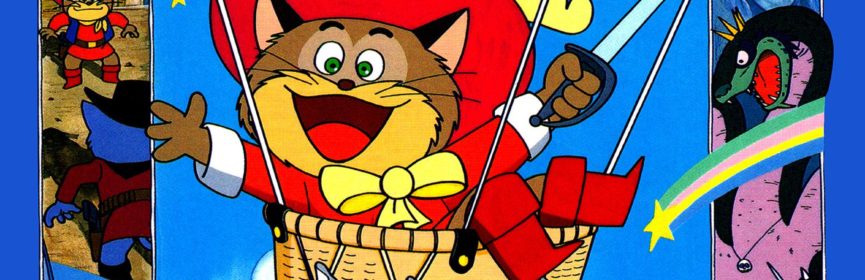
The story is a little bit more interesting than your typical NES game. You play the role of Pero who was ordered by Count Gruemon to get rid of a mouse in his castle. Pero befriended the mouse and helped him escape. This really upset Count Gruemon, so he enlisted the help of Dr. Gari-gari to send Pero in a time machine to the past. To make matters worse, Pero is being pursued by hitmen from the Cat Kingdom because Pero violated Cat Kingdom law by helping a mouse. Pero must travel through seven different areas all over the world in order to track down and defeat Count Gruemon and Dr. Gari-gari and take their time machine to get back home. Do this and you beat the game.

Puss ‘N Boots is a side-scrolling platformer with a typical control scheme. You use the D-Pad to walk around left and right. Press the A button to jump and press B to fire your weapon. The Start button pauses the game. While paused, you can press Left or Right to select one of Pero’s three weapons. Then press B to equip the weapon and unpause the game. Pero can squat by holding Down. If you are standing on top of a ledge, you can squat and press B to fall through the platform. I’m not sure if this even works since I didn’t need to try it.

Pero travels by steamboat in mostly calm waters.

All of Pero’s weapons have unlimited use and you can pick whichever one you want at any time. The default pistol fires a straight bullet ahead. The bomb is thrown in more of an arc. It goes upward a little bit and then falls quickly, exploding when it hits the ground. It’s useful for lower targets. The boomerang is a pretty large weapon that is thrown in a huge loop spanning most of the length and height of the screen. You can have two pistol shots on-screen at once, but only a single bomb or boomerang.

There are a bunch of vehicles you get to ride throughout the game, all with slightly different controls and capabilities. The ship floats on top of the water. All you can do it in is fire missiles straight ahead or move left and right. The underwater submarine can move in all directions and you can also raise it by holding the A button. The B button fires torpedoes that can destroy pieces of land that get in your way. The car has the same missiles as the ship, but you can jump and move similar to how Pero moves on foot. The airplane has the same movement as the submarine but is armed with a machine gun that functions similarly to the missiles, and it only faces to the right so you can’t shoot behind you. The hot air balloon is more like the submarine but uses missiles like the ship and the car.

There are some items you can find along the way. The boot makes Pero invincible briefly and awards 500 points. The hamburger is also worth 500 points and restores some of Pero’s health. The money bag is just for additional points, but you can earn either 1000 or 3000 points each. The Pero face powerup is an extra life. You can see Pero’s remaining lives, health, score, high score, and weapon selection at the bottom of the screen during play.

Just driving through the desert, no big deal.

Puss ‘N Boots has quite the variety of enemies. For the most part, the enemies are suitable for the levels they are found in. There are pirate ships on top of the water, piranhas in the water, and birds and other balloons while airborne. There are weird enemies too, such as flying horseshoes and UFO’s. Perhaps my favorite are the giant lightning bolts that you can blow up with your firepower. Puss ‘N Boots also features a few boss battles at the end of some stages. These are neat but don’t really make much sense. After the ocean stage, for instance, the boss is this giant mechanical frog. You have to hit him in the mouth while he spews out smaller frogs. Bosses have a health bar displayed below yours during these fights.

Pero begins his journey with two extra lives. I don’t think you can earn more lives with your score, just by grabbing 1ups. If you lose all your lives you may continue. There is a Continue option on the title screen that starts you off with three more lives. Either using a continue or resuming after death puts you back at the most recent checkpoint. Some levels don’t have any checkpoints and other stages have more than one part to them with a checkpoint at the start of each section. It’s a generous system. The catch is that you can only continue three times before starting over from scratch.

This was my first time playing Puss ‘N Boots. It’s not the most common game out there, but it is inexpensive. I’m pretty sure I got my copy in one of those eBay bulk lots I bought often while actively collecting. It wasn’t until after that that I learned that it is regarded as one of the easiest NES games. It did seem pretty simple when I tested my cart out but I only played a couple of minutes.

Puss ‘N Boots is also part shooter.

The game’s reputation did not disappoint. I was able to beat Puss ‘N Boots in 20 minutes on my first try. It’s such a simple game and you don’t even have to take your time in the levels to have a decent shot at getting through successfully, at least until the end of the game. Most of the experience is move to the right and defeat any enemies that approach you. The final area is a door maze that also has some sections that scroll upward. There are two bosses in this stage. The first one isn’t too bad, but the final boss is surprisingly tricky and easily the most difficult part of the game. It’s easy to have your health sucked away fast. I used up a bunch of lives here but eventually I got through. I would have given the game a 1/10 difficulty rating up until the final boss.

There is nothing notable about Puss ‘N Boots on the NES. It doesn’t look very good for a 1990 NES game. I don’t recall anything about the music. They tried to introduce some variety with the different vehicles and weapons, but everything feels roughly the same. The physics feel very unpolished. Jumping and throwing projectiles is rigid, and you move forward faster by jumping all the time. Levels are straightforward and end before they get going. It’s the brevity of it all that makes Puss ‘N Boots completely forgettable. If you are in the mood for a short, easy game or get a thrill out of beating something new, then this is definitely the game for you. Games like this are very welcome for my kind of long-term project but aren’t all that interesting otherwise. You aren’t missing anything special if you take a pass on Puss ‘N Boots.

#70 – Puss ‘N Boots: Pero’s Great Adventure

#70 – Puss ‘N Boots: Pero’s Great Adventure

 
MAR
26
2018
0

#69 – Desert Commander

A nice introduction to turn-based strategy on the NES.

Not pictured is the tank that blew up.

To Beat: Win any scenario
To Complete: Win all scenarios
What I Did: Completed the game
Played: 12/30/17 – 1/4/18
Difficulty: 2/10
My Difficulty: 5/10
Video: Desert Commander Final Scenario

Hot off the heels of the Power Pad running game Super Team Games, I completely switched gears and played a relaxing, low-key NES strategy game. Desert Commander and other similar strategy titles were once relegated to the end of my game list. Here I thought it was fitting to go from a physical game straight into a more cerebral experience, and Desert Commander slots in perfectly. I wrote off Desert Commander as not for me almost instantly. I do like puzzle games and the occasional RPG, but strategy games are just different enough from those to dissuade me from playing. Once I gave it a chance, I actually had fun. Without anything else to compare it to, I believe Desert Commander was the right choice for my first NES strategy title.

Desert Commander was first released in Japan under the name Sensha Senryaku: Sabaku no Kitsune. There it was released in late April 1988, both published and developed by Kemco. The setting for the game is World War II and is based on the North African Campaign. In the Famicom version, you can choose either the Axis or Allied side, but that was removed in the US release in favor of a more generic setting. The NES release of Desert Commander was in June 1989, also by Kemco.

Desert Commander is a turn-based strategy game for one or two players. Each side gets a specific amount of units and an initial setup on one of several maps. On your turn, you may assign up to one command for each available unit. For instance, you may move units to a different space on the map or engage a nearby enemy unit in combat. When you command each unit or decide to end your turn, your opponent may do the same. Each player has a special unit called Headquarters, and if you can defeat the enemy headquarters you win the battle. There are five scenarios to choose from and winning any one of them is good enough to get the ending.

It’s a hot day at the battlefield.

The controls are straightforward. Use the D-pad to move a cursor around the screen when it is your turn in the battle. Move the cursor toward any edge of the screen to scroll in the desired direction. Press A when the cursor is above one of your units to bring up a unit status display and menu. Use the D-pad to choose an item from the menu, press A to make your selection, or press B to go back. You cannot view the enemy units, only yours. Press the B button to automatically move the cursor on top of the next available unit. This is especially handy if you have many units spread out on the map. The Select button brings up a screen showing how many units of each kind both you and the enemy still have available on the battlefield. The Start button brings up a map of the entire battlefield.

Before starting the game, each side may determine which units they want to deploy for the battle. The screen shows all possible units and how many of them are allocated to each player. Next to the number of units are plus and minus buttons. Move the cursor to a button and press A to add or subtract to the number of units. Each battle has a maximum number of units already preconfigured, so if you want to add units of one type, you must first remove units of another type. For example, if you want more fighter jets, you might decide to reduce the number of tanks. You can make as many of these swaps as you want. The counter at the bottom labeled Units Left shows how many units are unassigned. The second controller modifies the units for the second player, and you can also use this in single player to redistribute the opponent’s side if you want.

There are several different types of units, and they can most easily be grouped together as air units or ground units. The two types of air units are fighters and bombers. The remaining units are ground units: tanks, armored cars, troop transports, infantry, field cannons, anti-aircraft guns, supply trucks, and the headquarters. For the most part, ground units are more effective in combat against ground units, and the same goes for air units. The exceptions are bombers and anti-aircraft guns which are more effective against the opposite types. The different unit types vary by how many spaces they can move per turn and how much ammo they can hold. There is a handy chart in the manual for these figures and you can also pull up this information directly in a game.

You can customize both your army and your opponent’s army.

When you choose a unit, you get both a status display and a small command menu. The status display shows ammo, fuel, the unit number, and the type of terrain it is currently occupying. Ammo dictates how many times you may attack the enemy. Each combat reduces this amount by one and if you run out you can’t deal any damage. Each space you move on the map reduces your fuel by one and every unit begins with one hundred fuel points. The unit number represents both the health of the unit and its attack power. For example, if your unit number is ten, you get to attack ten times on your turn in combat. You lose units when you get attacked, and the unit is destroyed when the unit number goes down to zero. I’ll explain more about terrain shortly.

The command menu has four options: Movement, Attack, Power, and Change. Movement, naturally, lets you move the unit to a new space. For ground units, the terrain determines how far you can move in one turn. It makes sense that you can move better on easier terrain. You can move the furthest on roads, less so in the desert, and the least in the wilds such as mountains or the oasis. You can press B to cancel movement anytime until you move the maximum amount of spaces. If you move a unit adjacent to an enemy unit, your movement stops immediately and the game asks if you want to attack the enemy. Say yes to fight, or say no to end movement. Attack lets you engage in combat with an adjacent enemy. Most units may only attack ones directly next to them, but field cannons and anti-aircraft cannons have a wider radius to attack more distant targets. Choose Power to bring up a box that shows how many spaces you can move on each terrain, the maximum ammo and fuel, and its attack range. The Change option lets you end your turn manually. You will end your turn automatically if you move or attack with all your units.

Combat is really simple and plays out automatically. During the attack phase, a new screen appears showing your unit on the left and the enemy unit on the right. You will see individual attackers on each side corresponding with the unit number. The side initiating combat strikes first, and then the other side counterattacks with the number they have remaining. You need one ammo to either attack or counterattack. Certain units are more effective against other types of units, even within air and ground units. I think it’s difficult to tell exactly which units are best suited for a situation. Combat is like a hidden dice roll and the amount of damage you either deal or receive is luck-based after strengths and weaknesses are considered.

Lots of combat in this game.

There are some spaces on the map that have effects on the battle. Towns replenish ammo and fuel when ground units occupy the space. You see a special screen and animation when someone moves onto the space. In fact, all of these special spaces have their own screen like this. It gets annoying after the first time but you can get out of them quickly. Aircraft can refill fuel and ammo by landing on an air strip. A palm tree is an oasis and it gives occupying ground unit a boost in defense. There is also a wall that provides greater defensive help.

Two units provide additional capabilities. The supply truck replenishes both fuel and ammo for other units when it is placed next to them. You can arrange your units in a way where two or three of them can be filled up at the same time. Curiously, the supply truck cannot refill its own ammo or fuel. The troop transport can load up infantry to greatly increase their range. First, place an infantry unit next to the troop transport to bring up a dialog box asking if you want to load them into the troop transport. Then both units combine into one unit with a different color to indicate they are combined. Later when you move the troop transport, you get the option to unload your infantry and then they can have a turn.

There are five scenarios in single player mode to choose from. Later scenarios increase in difficulty but maybe not in the way you would expect. The AI almost always performs the same way, but they get more units than you do in later scenarios. All things are even in the First Battle scenario, but by the last one the computer has more than double the number of units you get. Speaking of the map, it turns out it is one gigantic map and each scenario focuses on some subset of this global map. You will see some map overlap between scenarios. I know at least once I saw a town on the edge of the map that I couldn’t get to because the game prevents you from utilizing the fringes of the scenario map.

Nice looking scenes, but they show up all the time.

This was my first time playing Desert Commander. I have some vague memories of seeing someone play the game back when it was released. I do think it was somewhat popular back then. I had a couple of people tell me that they used to play a lot of Desert Commander. I did not buy the game myself until I started actively collecting. I got another copy in a lot not that long ago and it came with the manual, so that was nice to have for this playthrough.

I decided that I would complete all scenarios with the default unit deployment. I wasn’t sure if there was some kind of special ending for beating harder scenarios, plus I like playing all the levels a game has to offer anyway. It turns out you get the same ending no matter which scenario you win. You even get a similar ending if you lose. The first scenario was very easy and I won with little difficulty while I barely knew what I was doing. You will get a scoring screen at the end that shows how many turns you took, along with damage and results numbers. I don’t understand what they mean or how they are calculated. I was happy with beating the game no matter how I scored.

I would say for a first time player that the game has a smooth difficulty curve. I coped well with the increase in enemy forces by using better tactics I came up with through the mistakes and experimentation of past attempts. Both the third and fourth missions took two attempts to beat and I just barely lost the initial attempts on those scenarios. The final scenario is quite the challenge and you are severely outnumbered. I got lucky enough to pick off the enemy headquarters before things got really bad for me. I’m glad for that because the scenarios take a long time when each side issues commands to every unit on the battlefield on every turn.

The default armies leave you vastly outnumbered.

I’m no expert at these kinds of games and there may be a better strategy, but these are the techniques I came up with. The computer tends to send a chunk of their force directly at you, leaving some units behind with the headquarters. Some of the ones left behind will join the offensive as others get defeated. Eventually this leaves an opening to engage the headquarters. I put infantry in troop transports and broke that group off separately, moving them near the enemy headquarters so that they could strike as soon as they got a good opening. In the last scenario, I sent a couple extra units with the transports for protection since the enemy may spread out their advance and start attacking this group. I put my headquarters on a wall to give them the greatest defense and surrounded it with my remaining units. I put my cannons in the back because they can attack anything trying to breach my tightly packed wall of defense. I just tried to survive as long as I could to give my small attack group the opportunity to knock out the enemy headquarters.

Desert Commander has a few quirks that I find annoying. I would like there to be a way to cancel your movement once you hit your max, just in case you come up a little short. You can cancel your movement at any time up to that, so why does your max automatically lock you in? Another similar gripe is that you cannot move past another unit without being forced to stop and ask if you want to battle. This one at least makes logical sense since you would not be able to skip past your enemy like that, but it doesn’t make it any less annoying. Enemy turns are also ridiculously slow. You have to wait for their cursor to slowly scroll across the map to each and every unit, and the order the computer chooses units seems awfully inefficient. You also have to sit through each and every combat screen, and there are also the little cutscenes every time a unit gets placed on a special space. The last scenario takes a long time with the high number of computer units.

I’ve knocked Desert Commander a bit, but it’s a pretty good game. I like the music quite a bit. You can change the background music in one of the menus and all four tracks are pretty good. I liked the first one well enough to keep it playing over all scenarios. The graphics are well defined and I really like the Kemco font. A few of the units look similar enough that it does take some time to distinguish them, but that’s a minor issue. I bet this game is really fun against another human player where you can’t exploit the AI and need to form different strategies. Single player is fun enough, but the way they decided to increase the difficulty is cheap. There aren’t too many NES strategy games, but Desert Commander is a good example of how to do one on the console. I think that’s high praise for a genre I don’t care about much.

#69 – Desert Commander

 
MAR
09
2018
0

#68 – Super Team Games

Great, another exhausting Power Pad game!

Some balloons burst to get you started.

To Beat: Win all four events in single player
To Complete: Win all events on the highest difficulty
What I Did: Beat all events on the lowest difficulty
Played: 12/21/17 – 12/28/17
Difficulty: 7/10
My Difficulty: 7/10
Video: Super Team Games – All Events

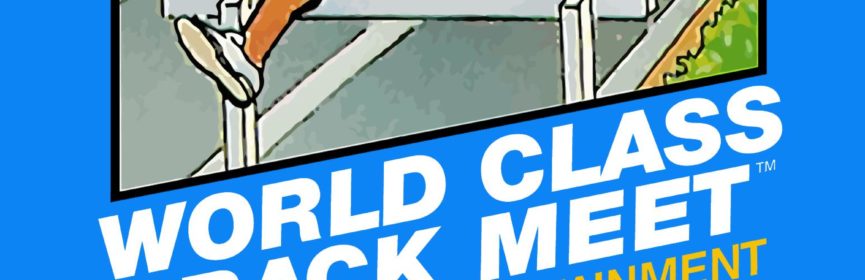
Another Power Pad game already? I just finished World Class Track Meet not even a week before this. There are only a handful of Power Pad games that reached the NES, and it is just dumb luck that we get two such games almost back to back. This may have been a good thing here since my Power Pad muscle memory from the previous game carried over to this one. I needed that because Super Team Games is significantly more challenging than World Class Track Meet.

Super Team Games was developed by Sonata (who would later become Human Entertainment) for release in Japan in November 1987. It was originally published by Bandai, and it was the seventh game in their Family Trainer series. Nintendo published the NES release in November 1988, branded as a Power Pad game. It did not include any Family Trainer or Family Fun Fitness branding, just like World Class Track Meet. This was the final game of the Famicom’s Family Trainer series to reach North America.

Super Team Games is a running race game where you compete in different types of events and try to beat your opponent. There are several smaller events that are arranged into larger obstacle courses. There are several different modes for single player, two players, and two teams of players. Since multiplayer modes are competitions against each other, only the single player modes count for beating Super Team Games. There are four different obstacle courses in single player mode, and when you win all of them you have won the game.

You gotta start jumping pretty early.

This Power Pad game uses Side B, which contains blue buttons on the left and red buttons on the right, all individually numbered from 1 to 12. In single player, we are only concerned with the blue buttons. The top row buttons are 1 and 2, the middle row buttons are 5 and 6, and the bottom row buttons are 9 and 10. Multiplayer games use the red buttons, so just add two to each button number to get the same mappings for the second player.

The menu controls are the same as World Class Track Meet. On the title screen, press Select to move the cursor and press Start to go to name entry. In the tournament mode, you first select how many teams you want between three and six. Use the D-Pad to move the cursor at the bottom and press Select to lock in your choice. You then move to name entry which is identical for all modes. The blinking cursor at the top part of the screen determines which character in the name you want to choose, and you move that cursor by pressing B to move it left and A to move it right. Use the D-Pad to move the letter selection cursor at the bottom part of the screen. Press Select to write the selected character in the name field. When all names have been entered, press Start to begin.

Now you move to the event screen. There are flags displayed with the names of all the events. Press Select to choose the event and press Start. In 1 Player and 2 Player modes, the events are Super Obstacle Course, Obstacle Course A, Obstacle Course B, and Skateboard Race. The 2 Team Play and Tournament mode events are 6 Legged Race, Tug of War, and Relay Race. More on these modes later. The next screen is the versus screen showing who is competing in the race. If you are playing Tournament mode, you will see a screen in between showing the bracket setup. In single player, the versus screen lets you decide which computer character you want to race against. Press Select to choose from either Ollie, Jimmy, or Jack, and press Start to go to the race. Ollie is easy mode, Jimmy is medium difficulty, and Jack is the fastest.

What lovely flags!

The gameplay screen has the same structure in all events. The left runner, designed as the White team, is displayed on the top part of the screen and the right runner, or Red team, is below. At the bottom of the screen is a minimap that shows how far each player or team has reached in the current race. You also see times for each runner. This timer freezes briefly during checkpoints so you get a better glimpse of how you are doing as you compete. To begin the race, all active participants must be standing on the Power Pad in their designated spots. For single player, stand on 5 and 6. A whistle is blown and soon the referee fires the starting gun.

Let’s look at each of the events first. Then I will explain how they combine into the different courses.

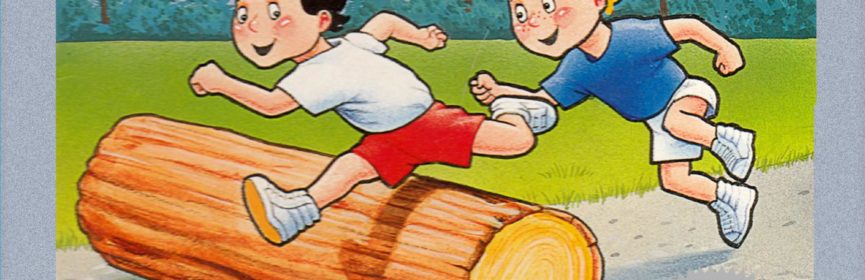
The Log Hop is exactly how it sounds; you run and jump over stationary logs. This introduces the standard controls that apply to many events in the game. Run on 5 and 6 in the middle row to move forward. Take a step back and run on 9 and 10 to back up a little bit if you need to. You can run right up to the log and then jump in the air so that your character jumps as well. The logs are medium height so they aren’t too tough to jump over. You can even land on top of the log and run right off.

No, you can’t run around the ball.

The Belly Bump Ball has the same controls as the Log Hop. Here a giant beach ball is in the middle of the track and you have to bump it forward by running into it. The faster you run into it, the farther down the track it goes. Ideally you want to get into a good rhythm of bouncing it far ahead and then running fast to knock the ball ahead again. If you come at it slow, the ball won’t go very far and then you don’t have the distance necessary to build up speed unless you take a few steps back and give yourself some running room.

Water Cross is similar to the Log Hop. There are pools of water on the track that you want to jump completely over if you can. Run up to the edge and jump to hopefully get across. More than likely you will fall into the water. You can swim by running on 5 and 6, but you will cross very slowly and use up a lot of time.

In the Crab Walk, I guess you wear a crab outfit? It’s weird. You want to put your left foot on the 1 and your right foot on the 9 and then run in place to inch ahead. It’s different than the other events since your feet are much further apart. I could move forward but really couldn’t get the hang of this one like I should have.

The Wall Jump is exactly like the Log Hop. The walls are thin and much taller than the logs. You really need to jump high to get to the top of the wall. Not only that, but there are two different heights of walls just to make things more exhausting.

This is a very sturdy bubble.

In Bubble Run, you first approach an air pump and must blow up your bubble. Hit 1 and 2 in the first row to inflate your balloon. The manual says to hit the buttons with your hands, which makes sense since you are working an air pump. You can run on it if you want, but my legs needed a break! Once the bubble is filled, then run on 5 and 6 and take the bubble to the end.

These are all the basic events that combine to form the larger events that you choose from the menu before play. In the Super Obstacle Course, you run all six of the above events in that exact order. In Obstacle Course A, you do the Log Hop, Water Cross, and Wall Jump, and in Obstacle Course B you do the Belly Bump Ball, Crab Walk, and Bubble Run. The Relay Race in the team play modes is the same as the Super Obstacle Course. Instead of running the whole thing alone, you pass the baton and substitute team members after each pair of events.

That’s not all! There are also three other unique special events:

The Skateboard Race is for one or two players. In this mode you don’t have to run, which is quite the relief! Your front foot position will either be on the 5 or 6, and your back foot position is either 9 or 10. First, stand on 5 and 6 to start with the whistle blow, then put your front foot on 5 and your back foot on 9. I like to face right while on the mat. This will position you in the top row in your course. Move your front foot to the 6 and then move your back foot to the 10 to move your character to the bottom row in the course. You can switch positions one step at a time to slide your skateboarder. You may rhythmically step between positions to slalom and that lets you move faster down the course. You also need to sidestep to dodge obstacles on the course. Some obstacles block both lanes and you must jump to get past them. If it sounds complicated, I’m sure you will get it once you finish the course once or twice.

Try to weave around the obstacles.

The 6 Legged Race is a team event only. You need six players for this event! Each team of three stands back to back on the respective spaces on the Power Pad so that there is a foot on every button. Each team must take left and right steps together as if their feet are tied together. If someone is out of step the racers will fall over and make it harder for the team to continue to walk. There’s no feasible way for me to play this event, but I bet it would be hilarious!

The Tug of War is another team event that can be done with either two, four, or six players against each other. Within a team, the first player stands on 5 and 6, the second player stands on 1 and 2, and the third player stands on 9 and 10. The other team takes the respective positions on the right side of the Power Pad. When the firing gun starts, everyone runs as fast as they can. Whichever side has pulled more of the rope after 30 seconds wins the Tug of War.

I’ve never been a Power Pad player, so this was my first time playing through Super Team Games. All of the Power Pad games tend to teeter between common and uncommon, but they are neither difficult nor expensive to track down if you really want them. Well, aside from Stadium Events that is. I got my original copy in a lot on eBay early on when I had made my big push to collect the other half of the NES licensed set. I remember seeing it and getting pretty excited since I had never seen the game before and thought it might have been worth something. I quickly found out that it was cheap because no one wants it. I’ve had a few different copies come through my possession.

This was a really bad jump attempt.

Super Team Games is a significant step up in difficulty from World Class Track Meet. Naturally, I learned this the hard way. My first time playing I picked the Super Obstacle Course against the fastest computer runner Jack. He completely blew me away. He completed the entire course in under three minutes while I hadn’t even reached the halfway point yet. I had to stop and step away in the middle of the race for a little while to catch my breath. I kept at it just to get through it, but I never did finish the race. After 10 minutes have elapsed, the race just ends. I was at the very end of the course with the finish line in sight when this happened. So annoying. I’m calling it impossible for me to beat this on the hardest difficulty and immediately accepted the idea of beating it on Easy and stopping there.

I moved on to the Skateboard Race next which is the easiest mode and much less strenuous. It still took me two attempts to beat easy difficulty Ollie. The first attempt was learning the course and the controls, and then the second try was enough to win the race. I then switched over to trying Obstacle Course A and managed to win that race too. The only problem is I forgot to hit the record button on my PC. That really upset me and I knew I wouldn’t be happy unless I completed it again. I was completely spent from playing this game to the point where I had to rest for a couple of days before trying again.

I finished all of the modes over the next three play sessions. The Super Obstacle Course took me two tries to win against Ollie. He finishes the race in around six minutes. I was about twenty seconds behind the first try and then I won by more than that the next try. It also took me two tries to beat the Obstacle Course A again. The first try I quit part way because I was too far behind and exhausted from winning the Super Obstacle Course just before. The next try I won the race by just barely passing Ollie on the final stretch. That was way too close for comfort. Obstacle Course B is quite a bit easier than the other two obstacle courses, but I think that took a couple of tries as well. I used the Skateboard Race as a warm up exercise and finished it a couple more times for good measure. I learned from my mistakes and recorded everything the way I wanted.

That’s how close I was to losing Obstacle Course A.

I think Super Team Games requires more consistency and better form than World Class Track Meet. You can be successful by stepping on the Power Pad as quickly as possible, since that’s more or less what I did. However, it does seem that you are rewarded for having proper form in your steps and jumps. I will caution that I cannot be entirely sure about this. The manual tells you what to do, but not how to do it well. It’s not really feasible for me to test any hypotheses either because I can only play a little bit at a time before wearing out. My theories will have to do. I was able to do a really long jump a few times and I never understood how it happened. I’m sure it has to do with the timing of my jump while running with some speed, maybe even by jumping off of one foot and landing on the other. I also noticed that I accelerated sometimes while jogging for some distance. There does seem to be some momentum inherent in the game physics as long as you keep going without slowing down too much or missing any steps on the buttons. Again, these are just theories. I assume there has to be some kind of technique that I didn’t understand that could help me perform at a higher level.

I do have a few observations about racing Ollie that might be helpful if you want to play this game single player. I found that I was about on par with Ollie in all events but two. Ollie does the Crab Walk well, but does the Belly Bump Ball terribly. I have no idea what the secret is to crab walking and I always lost ground during that event. The Belly Bump Ball is best way to take a big lead. Ollie gets no momentum at all and only pushes the ball a short distance while never backing up to get a better shot at it. If you run fast, pause briefly just after you bump the ball, and repeat, you should clear the event quickly. This was the key for me completing the Super Obstacle Course and Obstacle Course B, leaving only Obstacle Course A without an easy exploit. The sad thing is that the game manual tries to make you feel bad for even coming close in a match with Ollie. From the manual: “Ollie: A push over. Shame on you if you lose!” Let me tell you, there is no shame in losing to Ollie. This really is a tough game.

Super Team Games is not fun to play in my opinion, but it is a competent title. The graphics are simple and clean. The music, while not notable, is decent. The controls work well once you learn how to navigate the menu. There is a wide variety of events, especially when you include many players. The real fun of Super Team Games lies in playing this game with someone else. Racing against another player or coordinating large groups for team events are the kind of activities that form memories and build bonds, even in the heart of strenuous competition. Super Team Games is also a good exercise tool for Power Pad owners, so long as you take it easy and don’t worry about trying to outrun the computer players. Trying to beat the game in single player mode is too tedious and exhausting to be fun, and I missed out on everything in the other modes that would have made it enjoyable. I think the best part of Super Team Games was the feeling of relief to check it off the list and move on to the next game.

#68 – Super Team Games (Super Obstacle Course)

#68 – Super Team Games (Obstacle Course A)

#68 – Super Team Games (Obstacle Course B)

#68 – Super Team Games (Skateboard Race)

 
MAR
02
2018
0

#67 – Rambo

Stab your way through the jungle in this action-packed movie tie-in.

This animated title screen is hard to capture properly.

To Beat: Reach the ending
Played: 12/18/17 – 12/21/17
Difficulty: 4/10
My Difficulty: 4/10
Video: Rambo Final Area and Ending

It’s time for another NES game based on a film license. John Rambo is a character ripe for a video game. He’s a tough soldier type with expertise in weaponry and hand-to-hand combat, and he gets to use his skills in the NES game to mow down enemy soldiers. Of course, he will also have to fend off snakes and birds and such because it’s a video game, but Rambo is more than up to the task. Rambo on NES is perhaps best known for its gameplay similarities to Zelda II: The Adventure of Link. Now that game may be one of the least heralded Zelda adventures, but it is still a great game that plays well. Let’s see if the NES version of Rambo can hold up to that kind of pedigree.

The Rambo series of movies began with the 1982 action movie called First Blood. It is based on the book First Blood written in 1972 by David Morrell. The film was co-written by Sylvester Stallone who also stars in the movie as John Rambo, a misunderstood Vietnam War veteran. Stallone would co-write and star in all four movies in the series. The next movie, Rambo: First Blood Part II was released in 1985 and this is the film the NES game is based on. Rambo III was released in 1988 and the simply-titled Rambo came out in 2008. The original series is effectively over as Stallone has stepped down from any future films. However, there is a Bollywood remake of Rambo slated for 2018 as well as a rumored future reboot of Rambo without Stallone.

The second Rambo film spawned three different video games. The first game is from 1985 that was released on the Amstrad CPC, Commodore 64, and ZX Spectrum and plays as a top-down action game. The 1986 Sega Master System game plays in similar fashion even though it is a different game. The NES version of the game is a side-scrolling action-adventure game. The Famicom version was first released in December 1987, and the North American version came in May 1988. This game was developed by Pack-In-Video and published by Acclaim.

Watch out Rambo! It’s a small bird!

Rambo on NES follows close to the story of Rambo: First Blood Part II. Rambo is imprisoned at the end of the first film and Colonel Trautman enlists Rambo on a mission that will allow him to get out of prison. He is tasked to go back to Vietnam to take pictures of the military bases to prove to the United States that there are no more POWs in the country after the war. Rambo discovers that there are still POWs in the country and he gets captured as he attempts to rescue one. You play as Rambo as you follow these and the rest of the main events from the film, and you beat the game once you reach the ending.

The game is an exploratory side-scrolling platformer in the vein of Zelda II. There is no overworld in Rambo and everything is played in the side-scrolling view. Play scrolls either left or right as you explore, and often you can venture off either side of the screen to different areas. There are also buildings you can enter as well as entrances to parallel areas. You may also talk to people you encounter to gain clues and figure out where you should head next. For the most part, the world is open to you and you can explore almost anywhere you want, although there is a critical path that is required to proceed with the story.

You use Left or Right on the D-Pad to move Rambo around. Press the A button to jump. Rambo ducks when you hold Down. You can jump down through some ledges by holding Down when you jump. Press Up when standing in front of someone to talk to them, although you can’t talk to everyone. Sometimes you can enter doors or buildings by pressing Up. You also use Up to move to different “rooms” either north or south whenever you stand on a tile marked with either an N or an S. You attack with your weapon with the B button. The default weapon is Rambo’s combat knife and it is a strong, close range attack. You can attack while standing and you may also perform a low stab by pressing B while ducking. The Start button pauses the game. The Select button is used to choose your weapon from the weapons displayed on the top status bar. You can also switch weapons when the game is paused.

Rambo has to deal with ankle-biting fish in shallow rivers.

Most of the game takes places within the action screens, but there are some additional actions you can perform during conversations. When speaking with someone you will see their picture and text on the top half of the screen. Rambo’s dialogue is on the lower half. Press A to advance the conversation. Sometimes you must choose your own response, in which case an arrow appears so you can select your choice with A.

Press Start during conversations to bring up the Status screen. I’m glad the manual explained this to me because I wouldn’t have figured that out on my own. There is some good information on the Status screen. At the top, you see your current health, the maximum possible health, your current experience points, and the number of points needed to advance to the next experience level. The middle of the screen shows your inventory. The lower part of the screen is your mission code, or password. These are complicated 32-character passwords that may contain numbers, lower case letters, upper case letters, and symbols. It’s on par with The Guardian Legend as far as passwords are concerned. You can input passwords when you select Continue on the title screen.

The top status bar contains information and weapon selection. Life and experience points are the same as show on the Status screen, and then the rest of the bar is dedicated to your weapons. First is the standard knife, and underneath that you see Rambo’s current strength level. To the right of that is the throwing knife which is a short range projectile attack. Underneath the throwing knife and every other weapon is Rambo’s current ammo count for that weapon. The bow and arrow has a longer range than the throwing knife and is more powerful. Exploding arrows do twice as much damage as the regular arrows. The machine gun is a powerful weapon that shoots quickly. Next are grenades which can be thrown a short distance in an upward-looping arc. Finally, you see the medicine bottle which restores 100 health when used. Rambo can have up to 99 of all weapons except for the grenades and medicine which max out at nine each.

Go crazy and use those throwing knives.

You gain experience points as you fight enemies. Defeated enemies display the number of experience points earned when you beat them, just like in Zelda II. Gain enough experience points to level up and increase the strength of your weapons. There are seven experience levels in Rambo and you become a one-man wrecking crew by the end of the adventure.

Some enemies will give you ammo or item drops instead of experience points. Each ammo drop gives you ten shots to add to your arsenal, but medicine jars are only accrued one at a time. Here’s a tip. The same enemies always drop the same kind of item, so you can leave and come back and stock up on anything you want. There are also a couple of temporary powerups you may find when you defeat certain enemies. The S powerup lets you move faster and the J powerup lets you jump higher. These abilities only apply to the current room. You can also find item drops inside breakable boxes.

There are a few boss fights sprinkled throughout Rambo. These are more like unique enemy encounters and you need to land a lot of hits to defeat these bosses. Beating a boss drops a heart which restores all your health and adds 100 to your maximum health. It’s possible to skip some of these fights altogether if you aren’t careful, so I recommended taking the time to find and fight them.

Boss battles can be mildly frantic.

This was my first time playing Rambo. I knew that it had the resemblance to Zelda II which is a game I really like, but I didn’t give the game a real try until now. It’s a common game that’s worth about $5. I do remember that it took me some time to get a copy of the game for my collection even though it should have been easy enough to run into by chance. It’s just a weird quirk of collecting that happens sometimes. Of course, since then I’ve had 5-6 copies of the game through buying game lots.

I found Rambo to be a pretty easy game, but maybe it shouldn’t have gone that well. The biggest issue with the game is that the map can be confusing to navigate. Screen exits off either side of the screen may behave differently depending on where you are. Sometimes they go to unique screens and sometimes they loop around to the other side of the area you just tried to leave. You get in situations where you exit the screen, then go right back where you came from and end up somewhere completely different. Some areas will let you fall to a different area below. There are also the entrances that take you either north or south, and occasionally these paths are one-way only and now you have to go around a different way to get back to where you were. It’s disorienting, and there is no in-game map to tell you where you are in the world. But somehow, it is less complicated in practice than it would seem. The characters give you a general direction you need to go and that was enough for me to figure it out.

My playthrough of the game was a little unusual. I struggled some with the combat at first and died a lot. I took every path I could find just to make sure I wasn’t missing anything. Maybe I took a little too long. In the middle of the game, you rescue one of the POWs and have to take him to the extraction point. You are supposed to get captured again and Co breaks you out of the enemy base. The game plays out these exact scenes, only that didn’t happen for me when I played. Co said that I was too late to meet the helicopter at the extraction point. Now I still had to go there, but instead of doing the following side section as Co, I had to wander back to the next location on my own with no real idea of where to go. In a way, it’s interesting that the game allows you a different way through the game under certain circumstances, but they definitely could have handled it better. The rest of the game took a little time to figure out, but it went well enough. The final boss was the most difficult part of the game and I ended up beating it just barely on my first attempt.

The enemies at the end of the game get a bit ridiculous.

I went through the game again with the intention of recording a longplay and checking out the content I missed previously. The first time through took around four to five hours, and the second time took under two hours. This time I did the scene with Co like I was supposed to, and the flow of the game and story was more sensible. Unfortunately, my computer crashed about halfway through the game and it ate the footage I had recorded up to that point. I think I’ve played enough Rambo, so my video of the final boss and ending will have to be good enough.

There are a couple of interesting things about the ending to the game, so this is your spoiler warning. In the film, Co gets shot and killed. The same thing happens in the NES game but there is a way to avoid it. You reach a screen with Co and a waterfall background. Talking to her here triggers the scene where she is killed. If you don’t talk to her, she never dies and you can speak with her again in the ending. After beating the final boss, you get to walk around the base until you talk to Troutman. Co will be here and she and Rambo share a touching moment. The other awesome thing you can do during the ending is turn Murdock into a frog! It’s totally weird, but you can do it. Attacking on that screen in the ending causes Rambo to spew out a huge Kanji character. It stands for Ikari which means rage. Your anger toward Murdock turns him into a frog. The only explanation for that is the experience meter is referred to as the anger meter in the Japanese version of the game. Thus, you are building up your rage through your journey and you are letting it all fly out quite literally in the end.

If I had to describe Rambo in one word, it would be janky. Enemy movement is often erratic. Bosses may spam floating projectiles. It’s tough to make contact with your knife, at least early on. Sometimes breaking a box with your knife destroys the wrong tile. Good luck trying to break a specific box that you have to jump to reach, by the way. Rambo’s character portrait can only be described as derpy. The experience point balance is way off. Early enemies give a point or two while some endgame enemies give you a whopping 500 points. The game feels unpolished, but it’s not necessarily a bad game. I think the game follows the story pretty well, and the music is good too. If Pack-In-Video was earnestly trying to make a Zelda II clone, I would say they didn’t hit the mark. It’s not nearly as good of a game and it was released almost a full year later. Still, Rambo is interesting enough that it might be worth a look.

#67 – Rambo

 
FEB
22
2018
0

#66 – World Class Track Meet

Get out the Power Pad and run until your lungs wear out!

Might as well stick the menu under the title.

To Beat: Finish Tournament Mode
To Complete: Finish both Tournament and Olympics Modes
What I Did: Completed the game
Played: 12/15/17
Difficulty: 4/10
My Difficulty: 2/10
Video: World Class Track Meet Tournament and Olympics

This is a special day for Take On The NES Library for two reasons. First, this is the first Power Pad game I have covered here, and with that comes both a history lesson and technical details of what the Power Pad is and how it all works. Second, World Class Track Meet has some history of its own that ties in with the most expensive NES licensed cart, by far, and the only one that I don’t own for myself.

The discussion for World Class Track Meet begins with Stadium Events. Maybe you’ve heard about it? Stadium Events was developed by Human Entertainment and published by Bandai. This developer was known as Sonata at the time of this release and renamed themselves Human Entertainment in 1989. The game was first released in Japan in December 1986, then on the NES in North America in September 1987, and finally in Europe in 1988. It is the second in a series of ten fitness games in Japan called Family Trainer that utilized a special floor mat controller also called the Family Trainer. Bandai branded the controller and game series for the NES as Family Fun Fitness. However, only two games were released under Family Fun Fitness banner: Athletic World and Stadium Events. Athletic World originally came in a big box set with the controller, but Stadium Events was only released as a standalone title and therefore you had to already own the Family Fun Fitness mat to play it.

It was around this time that Nintendo decided to recall both the Family Fun Fitness sets and Stadium Events so that they could rebrand it as a first-party product outside of Japan. The Family Fun Fitness mat became the Power Pad, and Stadium Events became World Class Track Meet. Both the controller and the game function exactly the same just with different names and branding. The Power Pad with World Class Track Meet were quite widespread, selling both separately and bundled with the NES console in the Power Set. Stadium Events however had very limited sales due to both its brief availability and reliance on the Family Fun Fitness set. It is unknown how many copies still exist today. Some have guessed around 200 copies, and though I suspect there may be more it’s still a rare game regardless. A loose cart of Stadium Events is valued somewhere around $10,000 today, while complete and even sealed copies are worth at least three to four times that. I have all the other NES licensed carts, but I don’t plan to buy Stadium Events unless I get some enormous windfall of cash or get ridiculously lucky and find one for cheap.

The infrequently used Side A of my actual Power Pad.

The Power Pad itself is a pretty large floor mat controller. It measures a little over three feet long and a little under three feet wide when completely unfurled, and it is made of two layers of gray, flexible plastic with twelve pressure sensors in between. The sensors appear on the mat as large buttons and are arranged in three rows of four buttons each. Just like the Zapper peripheral, the Power Pad is connected to the NES on the second controller port. When you apply pressure to one of the buttons, usually by standing on it, the NES will detect that the button is pressed. I don’t fully understand the technology of it, but I do know that it is a little more complicated than handling the standard controller because the game has to be programmed to read twelve simultaneous button states on just the one controller port as opposed to eight on the regular gamepad.

The other interesting thing about the Power Pad is that you get a different button layout depending on which side of the mat is facing up. The Power Pad is clearly labeled either Side A or Side B. Side A only uses eight of the twelve buttons. The four corner buttons are neither labeled nor utilized whenever a game is designed for Side A. All the remaining buttons are blue except for the two red center buttons. This side of the Power Pad was not often used. Side B is the one most players remember when they think about the Power Pad. This side uses all twelve buttons and each one is clearly marked with a number from 1 through 12. Blue buttons are on the left side and red buttons are on the right side.

World Class Track Meet is an exercise game that simulates four Olympic events: The 100M dash, the 110M hurdles, the long jump, and the triple jump. This game uses Side B of the Power Pad. Two players can race in the 100M dash and 110M hurdles at the same time by using both the left and right sides of the Power Pad, while both the long jump and triple jump are single player only. Each of these events can be played on its own. There is also a Tournament mode which is for one player against computer controlled runners and an Olympics mode which can support anywhere from one to six players. To beat the game, you must complete the Tournament mode. All other modes are exhibition only, but I figure it doesn’t hurt to also compete solo in the Olympics.

This is Side B, used for this game.

To play, you will need to plug a standard controller in the first controller port and the Power Pad in the second port. The controller is for choosing the game mode and any other information. These controls are not really intuitive. The title screen displays all six possible game modes. Press the Select button to toggle the cursor one at a time between all six options, then press Start on the one you want. If you choose Tournament, it goes directly to gameplay. For all other options, you are brought to a name entry screen. First, choose how many players you want. Use Left and Right to move the selection arrow and press Select to input your choice, then press Start to proceed to the actual name entry. There will be empty names displayed for each player and names can be up to ten characters long. Each player is also assigned a color. On this screen you are controlling two cursors at once. One is the pink selection arrow at the bottom for choosing letters and the other is the blinking cursor underneath one of the characters in the names at the top. Use the D-pad to move the pink arrow and choose a letter, and press Select to input that letter. This writes the letter into the name underneath the blinking cursor and moves that cursor one space to the right. To position the blinking cursor, press A to move it one space to the right and B to move it one space to the left. The idea is to input one name and then press A enough times to position the blinking cursor to the start of the next name in the list. I know I explained it poorly, and like I said it’s not intuitive, but you will get the hang of it. Finally, after all the names are set, press Start to jump into the game.

The general idea in all gameplay modes is to run on the mat as fast as you can. For single-player, you will want to use the blue side of the mat. When you choose an event, it doesn’t begin right away. This gives you an opportunity to stretch, rest, coordinate in a group game, or whatever. The event will begin when all active players stand on two buttons of the same color in the same row. Stand still and wait for the starting gun if necessary, then run in place on your two buttons to run in the game. You may choose to run on any of the three rows on the mat, and whichever pair you choose influences your top speed in the game. As player one on the blue side of the Power Pad, your character runs the fastest when you use the top row buttons 1 and 2, the middle row buttons 5 and 6 are average speed, and the bottom row buttons 9 and 10 let you run the slowest. In multiplayer games, you can enforce using certain rows of buttons as a handicap to help even out the competition. Aside from running, you will also need to jump in place for some events.

The 100M dash is the most basic event. The top of the screen shows all the data, beginning with the name of the event and player names. You can also see both a timer and current running speed for each player, as well as a progress bar with tiny runners to show how both competitors match up during the race. At the bottom, you see both runners sprinting into the screen. There will always be two runners shown during this event; if there’s only one player the right side will be computer controlled. After you stand in position on the mat, the referee will appear and fire a pistol to signal the start of the race. Start moving too soon and you get a false start penalty, and three false starts gets you disqualified. Other than all that, just tap those floor buttons as quickly as you can!

Eat my dust, Turtle!

The 110M hurdles is similar in structure to the 100M dash. You race against the computer or another player with all the same on-screen indicators as before. Naturally, in this event you must sprint and then jump over hurdles as they come into view. This can be a little tricky to get the hang of because you need to jump earlier than you might think to properly clear each hurdle. Running into a hurdle just slows you down, so for the best times you shouldn’t knock any over. This is also an event that is more difficult while running in the fastest position simply because the hurdles can come at you so quickly.

The long jump in a single-player only event. Here the second runner’s information at the top of the screen is replaced with the distance for each of three attempts. Stand on the mat with both feet in the desired starting position to trigger the starting whistle. Then run in place up until the white line approaches. Jump in the air just before you cross the line and see how far you go. Successful jumps will display the distance reached and it will be recorded in one of the spaces up top. If you forget to jump, accidentally cross the line before jumping, or fail to plant your feet back on the buttons, it is considered a foul and doesn’t count. Your score for the event is the furthest distance out of those three attempts.

The triple jump is set up the same way as the long jump with one runner only and three attempts. This time when you reach the line, you must jump three times consecutively. I’m not completely sure about this, but I believe the idea of effective triple jumping is to jump, land and jump off one foot, land and jump off the other foot, and land at the end with both feet. That seems easier to do while actually leaping forward versus jumping in place on the Power Pad. Fortunately, World Class Track Meet is pretty lenient with the jumping technique. You can land on both feet each time and jump again even after a noticeable delay and you will still perform a decent jump in the game. The best of three attempts is your score for the round.

The hurdles can present a decent challenge.

The Olympics mode is a competition of all four events for one through six players. The races are run two at a time, and the jumps are done one player at a time. Times and best distances are recorded and given a score from 1 to 100 based on the world records for each of those events as of 1982. Then the sum of all four events for each player is the total score, and the highest score wins. When three or more players complete the Olympics, the winners are displayed on the podium as well as displayed on the final scoreboard, whereas for fewer players you just see the final tallies on the board. There’s no ending in this mode for single-player, so it’s not really required to beat the game even though I did it anyway.

The tournament mode is one player only. You will race against six different competitors: Turtle, Bear, Horse, Rabbit, Bobcat, and Cheetah. The mode starts against the slowest competitor, Turtle, in the 100M dash. Win that race and then you go up against Turtle in the 110M hurdles. If you win both races you get a medal and move on to the next opponent. This continues until all six opponents are defeated or you lose a single race. There are no continues in the Tournament so you need to win all twelve races in a row. You get medals for beating each of the first three racers, and you get trophies for beating the last three runners.

This was not only my first time playing through World Class Track Meet, but also my first Power Pad game completion. I bought my Power Pad for $20 at the monthly flea market in my area several years ago, and it came in a white box with the Power Pad labeling on it. That day I also saw a boxed Power Glove from the same seller for probably the same price, but I passed on it in favor of the Power Pad. That was a mistake looking back, and I wonder if I just didn’t carry enough cash with me that day because I should have just bought both. Still, a boxed Power Pad for $20 is not a terrible price. I didn’t even bother trying it out when I bought it, rather I stuffed it in storage for a couple of years. It’s in good shape and it works fine. I don’t remember where I got the World Class Track Meet cart, but it’s common and cheap anyway.

I wonder how I’ve already cleared almost five meters.

Before playing this game, I broke protocol and looked up what kind of times I needed to achieve in this game to succeed. I try to avoid doing any kind of research like this, but I justified it this time for two reasons. The first is that I wasn’t too sure if I would physically be able to beat the game in the first place. I am by no means an athlete and never have been, plus I just turned 34 years old and I’m not getting any younger. I would say I’m in average shape, maybe a little overweight but not too bad. The other reason is that I have to be considerate of my other family members when I play something like this. I do most of my gaming at night after my wife and daughter are asleep, and it wouldn’t be good for me to be shaking the house and waking them up while I play late at night. My setup at home is favorable for this though, since my gaming TV is in the basement with a concrete floor under the carpet. I can’t be stomping around super hard, but there’s a good chance I could play and be quiet enough to go unnoticed. Anyway, the point I’m really trying to make here is that I don’t want to be experimenting around with this game just in case I disturb anyone sleeping. When I play, I want to get right to it and minimize the possibility of being a bother to my family.

As it turned out, those above points were non-factors. I played the entirety of the game during my lunch hour from work at home while my wife and daughter were out of the house, and I didn’t have any trouble beating the game in one attempt. It all comes down to beating Cheetah at the end. I don’t know if his times are consistent or not, but in my game he ran the 100M in 9.88s and the 110M hurdles in 14.70s. I decided to give my all on each and every race. Unfortunately, I ran out of breath trying to do all these sprints and it took me quite a lot of rest in between tries just to muster the strength to keep going. It’s really an exhausting game to beat even though it wasn’t that tough. I was consistently running the 100M in under seven seconds, so that mode was trivial. The hurdles were tougher but I still managed to win every race by at least a second or so. I started doing the hurdles in the medium speed position to work on my timing, but there I would not have been fast enough to beat Cheetah. For the fifth run of the hurdles I switched over to the super speed position in the top row and clocked in under 14 seconds, which was good enough. There is really no reason in single player to run in either of the slower positions, and there’s no shame in beating this kind of game in the easiest way available.

After the tournament, I also completed the Olympics mode by myself. I scored 379 points out of a possible 400, which I think is pretty good for one attempt. I might have scored better if I played it completely rested. I was gassed by the end of it all and I pushed myself just to have the final event, the triple jump, over with. This is a very short game to complete. My video of it is around 20 minutes long with most of that being unedited footage of waiting while I rested and caught my breath. I thought the game was easy to complete for myself, but what happens if you are unable to do this fast enough? Depending on your fitness level, it could possibly take weeks or longer to improve enough to win at World Class Track Meet. I’m no fitness expert so I’m just speculating on that. I don’t know how to effectively assign a relative difficulty to this game, and so I arbitrarily decided on 4/10.

I was beyond exhausted by this last event.

I played the game as it was designed to be played, but there are a few ways to cheat at the game that I bet many people would think to try. One common technique is to get on your knees and use your hands to slap the buttons. You can cheese the long jump and triple jump by jumping completely off the mat and back on quickly enough to trick the game into thinking you jumped super high. You could also hold onto a bar or piece of furniture or something when you jump to push yourself up higher. Finally, if you are really brave in a two-player game, you could try shoving your opponent off the pad entirely to gain an advantage. I don’t condone this in any fashion and you are entirely at your own risk if you do this!

Another little tidbit about World Class Track Meet is that it is one of the few NES games that doesn’t have a box to go with it. The game cart was bundled with the Power Pad and was not sold separately. The game also appeared as part of a triple combo cart along with Super Mario Bros and Duck Hunt as part of the Power Set, which included the Power Pad along with the console, controllers, and the hookups. That combo cart also doesn’t have a box. The manual for World Class Track Meet is also the manual for the Power Pad itself and is branded as the Power Pad manual. These are the kind of oddities that somewhat complicate things for full set collectors.

Today, both the Power Pad and World Class Track Meet are nothing more than a novelty. There just weren’t very many Power Pad games released to go with it, and World Class Track Meet itself is a very basic experience that isn’t all that fun. The idea of fitness games peripherals still lingers on. Dance Dance Revolution would become a huge cultural phenomenon years later, and Nintendo themselves eventually came around to the idea again in the form of Wii Fit and the Wii Balance Board. Therefore, World Class Track Meet has some historical importance, but doesn’t offer much else.

#66 – World Class Track Meet (Tournament)

#66 – World Class Track Meet (Olympics)

 
FEB
08
2018
0

#65 – Attack of the Killer Tomatoes

Killer Tomatoes seem ripe for an NES platformer.

Oooh, it’s both animated AND detailed!

To Beat: Reach the ending
Played: 12/5/17 – 12/7/17
Difficulty: 5/10
My Difficulty: 5/10
Video: Attack of the Killer Tomatoes Longplay

I know I’ve mentioned before that I don’t watch much movies or TV, but play video games instead in my free time. So Attack of the Killer Tomatoes comes up on my list to play. I know nothing about it at all, but I just know that this is based off some kind of movie or something. It has to be. I turn the game on and I’m greeted by these introductory story segments, further cementing my suspicion. Now that I’ve finished the game and done the research, yes indeed, this is the game based on a cartoon series that was based on a movie. I guess most people figure these things out the other way around, and I just come about it differently than others. But learning is learning, and now I know something about this strange NES game.

The original Attack of the Killer Tomatoes is, according to the movie poster, a “musical-comedy-horror” movie that debuted in 1978. The concept is well summarized from the movie title alone, and it was meant to be a spoof of B movies. It was produced by Stephen Peace and John DeBello, and also directed by John DeBello. The movie concept was conceived by Costa Dillon, and all three worked together to write the film. It has since become a cult classic and eventually spawned three sequels. Return of the Killer Tomatoes was released in theaters in 1988. The other two films, Killer Tomatoes Strike Back! from 1990 and Killer Tomatoes Eat France in 1991 were both direct-to-video films. An animated series, also named Attack of the Killer Tomatoes, aired on Fox Kids in 1990 and 1991, spanning two seasons and twenty-one episodes. This cartoon served as the base for the NES game.

There are two video games based on Attack of the Killer Tomatoes, both bearing this name. The first game came in 1986 for the ZX Spectrum, Amstrad CPC, and MSX, and it is an isometric game. The NES version is a different game that was developed by Imagineering and published by THQ. The game was first released in Europe in 1991, then released in the US in January 1992. It was ported to the Game Boy and was also released in 1992. Japan only got the Game Boy port, where it was renamed Killer Tomato and released in March 1993. Altron published Killer Tomato in Japan.

The tomatoes are killer, and so are you.

Attack of the Killer Tomatoes is a side-scrolling platformer. Dr. Gangrene has evil plans to take over both San Zucchini and the world with the Doomsday Tomato. Young Chad Finletter sets out to stop these plans. A set of huge killer tomatoes called the Gang of Six attempt to stand in his way. Chad travels through the city streets through Dr. Gangrene’s lair and beyond. Stop the evil doctor’s plans and you win the game.

This game has normal platformer controls. Use the D-pad to move Chad. You do a lot of walking left and right, but sometimes you need to climb a ladder or something by pressing Up or Down. The A button lets him jump. The B button is used for a few different actions. You can hold the B button to run, but for unknown reasons this only works in certain areas in the game. Holding B while jumping lets you leap a little farther. You can also hold B while climbing to move faster. In one place in the game, you can also press B to throw rocks. Holding down B and pressing Select lets you toggle the background music if you want. The Start button is just for pausing the game. There’s a weird glitch that happens when the game is paused. You can press Select to advance the game one frame at a time. That sounds like something that could be exploited but it’s not really helpful.

There is a status bar in the upper-left corner during gameplay. It displays your score counter, number of lives, and your health bar. Chad begins each new game with three lives and three bars of energy out of a maximum of six. There are items found in the game that can increase all three of these things. These are found on the ground and are not dropped by enemies. Fertilizer sacks are the most common item that just give you points. Lunch bags restore health and this amount varies depending on the pickup. Sometimes it is just a couple of health points and other times they give you even more than six. The rare lunch box adds an extra life. The design of these pickups is poor because they all look a lot alike. The lunch bag is folded on the top compared to the sack that looks like it is closed by a drawstring. I had to really pay attention to see if it was worth grabbing. I only came across one lunch box in the game and I couldn’t tell you how it differs graphically from the others.

That fertilizer sack is camouflaged!

There are a few enemies that show up in the game and most of them are tomato related. There are tiny little hopping tomatoes as well as larger ones that split into two tiny ones when stomped. There are tomato spiders and other tomatoes that sort of run at you. There are also rats and bats. You can jump on all these enemies to defeat them and you just fall through them when you kill them. A lot of times in platforming games you will bounce off defeated enemies a little, but it makes sense that tomatoes would just get squished. Each enemy deals one point of damage if it hits you, and there are also various stage hazards that can hurt you. A platforming game wouldn’t be complete without bottomless pits that can cost you a life.

The Gang of Six appear throughout the game, but instead of acting as boss battles they are mostly roadblocking enemies and should be avoided. The first one you meet in the game does need to be stomped to get it to run away, but all the other ones stand in your way and try to knock you around. It even hurts to jump on most of them, so don’t even bother. It seems like a strange choice to use these characters as merely stage hazards instead of bosses, but it seems to work fine. You do want to be careful around them because sometimes they can juggle you in the air and hit you multiple times.

Some of the stages in the game are mazes. The manual calls them 3D mazes but that’s a little misleading. These areas are still side-scrolling platforming levels that have a bit of a three-quarters perspective to them. There are branching pathways visible either into the background or into the screen, and you can press Up or Down to walk to the adjacent screen. They may seem difficult but are pretty straightforward as far as mazes go. If you take the wrong path, you won’t have to backtrack too far to figure out the correct way through.

You don’t wanna mess with these guys, just jump over them.

If you lose all your lives, you get to continue. One of the killer tomatoes spells out the message “Try again tomato head” when you lose all your lives. I like that better than the standard Game Over! You get a new set of three lives, but you can only continue twice before having to restart the game.

This was my first time playing Attack of the Killer Tomatoes. It was one of the later additions to my collection. In fact, I bought this copy in the same lot that contained the recently-beaten Kiwi Kraze. That lot was five games for $35, so I did well getting the game for essentially $7. It’s not a common game to find and sells in the $15-$25 range today.

Platformers with limited continues are normally the kind of game I would rate as a 7/10 or 8/10 difficulty. There are lots of way to take damage or die, and you have to play the game repeatedly to get the hang of it. Attack of the Killer Tomatoes gets an average rating because the game is very short. During the first night of playing I got majorly stuck during the third level. It doesn’t look like you can go anywhere at first. You need look for something within the stage that lets you proceed and I just completely overlooked it. The next night I saw my way through that part and ended up beating the game directly from there. I wasn’t recording because I didn’t expect the game to end so soon. I recorded a run the next night in around 15 minutes, only dying once in the first level and again near the end of the game.

Mazes aren’t as complicated as they seem.

Because Attack of the Killer Tomatoes is so short, I’ll run you through the whole game. These are all spoilers, so skip this section if you want to try this on your own. You begin on the streets at night working your way to the right. You have to bop Tomacho five times to progress to the manhole on the far right. This takes you to the sewer maze. Work your way past Ketchuk twice and chase the shadowy figure to a room with a large pipe organ. Here you throw rocks and must break each pipe of the organ to move on. You go back to the streets briefly before going into the tomato factory. Avoid Beefsteak on the floor and the roving robotic arm above and work your way to the top where you will flip a switch on the wall that reverses gravity. This was the part I didn’t get at first. You will need to go up through the ventilation shaft and end up in a small room where you need to bop some enemies for awhile until Dr. Gangreen opens the door ahead. This takes you to the tower. Fang and Zoltan will get in your way at various points as you climb to the top of this maze. Reach the Doomsday Tomato and Chad stops it on his own, loading the end credits. Now that game isn’t quite done yet because you get eaten by a huge tomato and need to work your way through the final maze inside. Just keep moving and get past Mummato when you see him and you’ll get to the end. If you hit a dead end you will probably find a lunch bag to refill your health anyway. Grab onto the large stalactite at the end to crush the tomatoes for good!

Imagineering may not have the best track record for platformer games on the NES, but Attack of the Killer Tomatoes plays well enough and has some neat technical moments that helps it stand out a little bit. Thrown tomatoes help spell out the letters during the credits sequences. Street lights illuminate the character palettes in a clever way. The tomato squishing graphics are oddly satisfying, and splitting bigger tomatoes in two is pulled off seamlessly. The platforming and character movement aren’t the greatest, but may well be the best of their games I’ve played so far. The music is good too.

Despite all the neat touches, the game is only average in gameplay and it is over just as soon as it gets started. It would have been disappointing buying this game when it came out at full price. I really have no idea of the popularity of the cartoon at the time and if that had any bearing on the sales of the game. Word of mouth of the short length of the game might have deterred it from selling well. Both of these could be factors for why the game is a bit on the uncommon side. Attack of the Killer Tomatoes is merely NES library filler. Though I’m glad I played it, like I feel about most NES games, I would say skip this one.

#65 – Attack of the Killer Tomatoes

 
JAN
26
2018
1

#64 – Jeopardy!

It’s an outdated version of the long running TV quiz show!

Includes the iconic theme song!

To Beat: Win a single round
To Complete: Win a single round on the highest difficulty
What I Did: Completed the game
Played: 12/1/17 – 12/2/17
Difficulty: 2/10
My Difficulty: 2/10
Video: Jeopardy! Longplay

This is another one of these project milestones, as today I am covering the first game show game on the NES. Well, that’s only true if you don’t count American Gladiators, I suppose. Even at the time of the NES game release, Jeopardy! was already a popular, long-running TV game show. It is still going strong today and I doubt there is an end in sight. This NES game suffers solely because of its age as the questions and answers are now nearly 30 years old, but it holds true to the Jeopardy! formula we are familiar with.

Jeopardy! first appeared on NBC in 1964 as a daytime show. Merv Griffin is the show’s creator. The original version ran until early 1975, which slightly overlapped a brief nighttime syndicated version airing from 1974 to 1975. A new version called The All-New Jeopardy! aired on NBC for a few months during 1978 and 1979. The show would return for good in daily syndication beginning in September 1984. This is the version of the show that is still running today. Art Fleming hosted the first three runs of Jeopardy! with Don Pardo as the announcer for the first two runs and John Harlan for The All-New Jeopardy! The current run of Jeopardy! is hosted by Alex Trebek and announced by Johnny Gilbert. It has won 33 daytime Emmy Awards and is now in its 34th season.

There have been many video game adaptations of the show, ranging from the mid-1980s up to 2017. The first version was the 1987 release on Apple II, Commodore 64, and DOS. The NES has four distinct versions of Jeopardy! with the original release coming in September 1988. Jeopardy! Junior Edition released in October 1989 and Jeopardy! 25th Anniversary Edition followed in June 1990. Super Jeopardy! was the final NES release in September 1991. Rare developed and GameTek published all versions of Jeopardy! on the NES, and all were US exclusives. GameTek published most video game versions of the game show until they filed for bankruptcy in 1998.

The developers got the look and feel right.

Since the NES game follows the same flow as the TV show, it makes sense to cover a basic overview of how Jeopardy! is played. Three contestants play three rounds aiming to earn the most money to win. Clues are given as answers and the contestant must respond with the appropriate question to earn money. The winner, or champion, of the prior game of Jeopardy! returns to play again and can accumulate winnings over multiple shows for as long as he or she keeps winning. The returning champion sits on the left and begins each game by choosing the first clue.

In the first round, the main game board is filled with six categories of five clue each. Each clue is assigned a dollar amount representing a wager. The original run of Jeopardy! had values ranging from $10 to $50, and the current show ranges from $200 to $1000. Typically, the higher the value, the more difficult the clue. One contestant chooses the category and a dollar amount on the board, and the host reads the full answer. Then, contestants can buzz in and provide the question. Correct responses add the dollar amount to that person’s total, while incorrect responses take away the amount. Totals can dip into the negative. The contestant with the correct response may choose the next clue from the board, or if no one answers correctly then the original contestant may choose again. The round ends when all thirty clues have been given.

One clue hides a Daily Double. When a contestant chooses that clue, the Daily Double is announced and only that contestant may give a response. The player must provide a wager of his or her own choosing, ranging from $5 up to their current winnings. If a player doesn’t have any accrued winnings, he or she can choose from any wager remaining on the board. Then the clue is given and the contestant gets a brief time to respond. Dollar amounts are added or deducted just the same as in normal play. Finally, the contestant gets to choose the next clue for everyone to play.

The simple keyboard interface works well.

The second round is called Double Jeopardy! and it plays out the same way as the first round. Six new categories appear but this time the dollar values are doubled. The player with the lowest total from the prior round gets to choose the first clue. This round hides two Daily Doubles. Once all those clues have been given, then Final Jeopardy! is played. Only contestants with a positive score may play this round. Here only the category is given to start and players must wager a dollar amount of his or her choice from $0 up to their current winnings. Then the clue is revealed and each contestant writes down a response within a shared time limit. One at a time, each question is revealed and the wager is added for a correct response or deducted for an incorrect response. The player with the highest total wins the game.

The NES game begins by choosing the number of players. One to three players may compete with computer players filling in any open spots. Use the D-pad to choose and press either A or B to select how many human players will participate. Next, choose the Skill Level 1, 2, or 3. Then, one at a time, each player enters in a name up to six characters long. The D-pad scrolls the cursor and either A or B enters the character. The cursor may wrap around from any edge to the other side. Then a player character is displayed at the stand and the game asks if you want a new character. Choose Yes to swap in a different character as many times as you want, then choose No to lock that character in. The character selection repeats for all human players and is filled in automatically for computer players. Player 2 uses the second controller and Player 3 uses the first controller, if necessary. This holds true for the entire game.

The first round starts with six categories and dollar amounts ranging from $100 to $500. Player 1 gets to pick the first clue. Press Left or Right to select a category and press A or B to lock it in. Then use Up and Down to select the wager and press A or B. Next, the answer appears on screen along with a timer shown in the corner. Players can buzz in at any time. Player 1 must press any key on the D-pad on the first controller to buzz in. Player 2 does the same on the second controller, while Player 3 uses the A or B button on the first controller. I guess you have to set controllers on the floor or on a table when playing with three players.

This was when the match was going well for me.

When a player jumps in, the question entry screen appears. Inputting the question here is the same as entering in your name at the start of the game, but here there is a time limit for submitting your response. This is where the skill level comes into play. Skill level 1 gets 50 seconds, level 2 is 45 seconds, and level 3 is 40 seconds. These aren’t actually full seconds. Unless the skill level also makes computer players buzz in more quickly, the skill level doesn’t mean much at all. Anyway, you will enter in the response and then choose End to submit. You don’t have to phrase your response in the form of the question because the game handles it for you, which is convenient. Other players get a chance to buzz in if the wrong answer is given. Daily Doubles are also handled similarly where you can input the wager you want or choose from one of the preset wagers if you haven’t earned enough money.

Final Jeopardy! is handled a bit differently than the first two rounds. Normally, contestants all submit their wagers and responses at the same time by writing them down. To get around it here, each player submits their response and wager while the other players are asked to look away from the TV. Of course there’s the potential for cheating if players 2 and 3 aren’t honest, but there’s really no other way to do it on the NES. Once the final submissions are resolved and scores are tallied, someone is crowned the winner! The game goes back to the title screen from here.

I’m sure this was not my first time playing Jeopardy! on the NES. I mean, I don’t remember exactly. It’s not a long game and so I may have completed a full round or two just to see what it was like. I imagine this was the first time I won a game. I managed to beat Jeopardy! on my first time playing, though it took me three tries to win. In all games, I had a reasonable score but didn’t have the lead going into the last round. On the first try, I missed the final question, and on the second try I got it right but didn’t wager enough to win. I played better the third game and nailed the Final Jeopardy! round to claim victory.

Maybe you could figure out some of these clues. I couldn’t.

The clear problem with older versions of trivia games like this is that the information is outdated. Sure, there are general questions and answers that are more timeless in nature. It just seems like about half of the categories or clues have to do with musicians, movie stars, or TV personalities of that period, and most of that information isn’t common knowledge anymore. I just had to hope that the computer would miss or ignore the ones I couldn’t answer, while buzzing in quickly on ones I knew I could answer. I also needed to get a good enough mix of categories that catered more to my knowledge. Perhaps I came out a bit lucky to only need three attempts. As an NES game though, it’s an easy one and a relatively quick clear.

If you want to try out NES Jeopardy! for some reason, here are a few tips for success. Both first and last names are required when the clue is about a person. Spaces for multiple word submissions are not required, though spelling is pretty important to get right. For numbers, you can type out the word or just the digits. Be sure to give the plural form of the words if you are responding with “What are” instead of “What is.”

Those are all input related tips and are somewhat useful, but I do have a couple of more helpful trends I noticed about the computer players. Sometimes the computer will buzz in and get the question wrong, and when they do they will enter in gibberish. Their incorrect response is the same as the correct one only with most of the letters replaced by symbols, so from that you know both how long the correct response should be as well as some of the correct letters in the spelling. You can sometimes glean the correct solution from this, and it’s even better because the opponent also loses points from the wrong response that can help you get the right one. It’s also to your benefit to place a full Final Jeopardy! wager unless you have a commanding lead. Most rounds will be decided by Final Jeopardy! anyway and you have nothing to lose but time if it doesn’t pan out. If you have a really big lead, you can simply wager nothing and probably win. I never saw the computer place particularly large wagers anyway.

Jeopardy! on NES is a competently programmed game and a good adaptation of the popular show. You don’t need flashy graphics or presentation here, but what you get is more than good enough. It’s just nothing special, and it’s too bad that the outdated questions and answers make it even less fun to play now. It was an easy clear for me, and for that I am thankful and won’t complain. For anyone else though, I wouldn’t bother with it.

#64 – Jeopardy!

 
JAN
17
2018
2

#63 – Kiwi Kraze

A fun platformer with a somewhat unfortunate name.

Nice graphics AND catchy music!

To Beat: Reach the ending
Played: 10/22/17 – 12/1/17
Difficulty: 8/10
My Difficulty: 8/10
Video: Kiwi Kraze Longplay

I haven’t traveled all that much in my life. I have only flown a few times and never over the ocean. I guess I have just as much fun staying at home playing all these NES games. New Zealand seems like it would be a lovely place to visit if I ever decide to go overseas. The country is beautiful and many notable movies have been filmed there. It stands to reason that it would also make a great setting for a video game. It also makes sense that a game based in New Zealand would use the native kiwi bird as the basis for the protagonist. Kiwi Kraze is a fun game that is often overlooked among the glut of NES platformers.

The NewZealand Story started as an arcade game both developed and published by Taito and released in September 1988. The game was later ported to a wide number of home computers and consoles worldwide over the next few years. The NES version of the game was renamed to Kiwi Kraze, A Bird-Brained Adventure! in North America and is the only version of the game that was renamed. Kiwi Kraze was developed by Software Creations and published by Taito, and was released in March 1991. In Europe, the NES port retained the name The NewZealand Story and was published by Ocean sometime in 1991. The NewZealand Story was later included in the 2005 compliation Taito Legends. New Zealand Story Revolution is a Nintendo DS remake of the game released in 2007. That game was developed by Taito and published by Ignition Entertainment in North America.

In Kiwi Kraze, you play the role of the Kiwi bird named Tiki. Wally Walrus has captured Tiki and all his friends, but Tiki was the only one who managed to escape. Wally then sells all the Kiwi birds to various zoos across New Zealand, so Tiki sets off on a grand adventure to rescue all his friends, including his girlfriend Phee-Phee. Tiki’s journey spans five separate worlds, each containing four levels. In each level, one of Tiki’s friends is locked in a cage and you must reach and free them to move on to the next stage. You win the game after you have completed all twenty stages.

Yep, definitely New Zealand!

Kiwi Kraze is a side-scrolling platformer game. On the title screen, you can press Select to choose either a one-player or two-player game. It is alternating play so it’s not that useful. You use the D-Pad to move Tiki around during gameplay. Jump by pressing the A button. You can control the height of the jump a little bit by how long you hold the button. When descending, you can tap the A button to flap Tiki’s wings which slows down his fall. The B button is for attacking and the default weapon is a bow and arrow. You can fire quite a few of these straight-shooting arrows at one time to quickly mow down a row of enemies. Pressing Start to pause the game also displays a mini map overlayed on the screen that displays the relative size of the level, your current location, and the exit location. There are no walls or anything else displayed on the map, but it can be a handy reference at times to gently guide you in the right direction.

There are two main mechanics that distinguish Kiwi Kraze. The first is that Tiki can jump up through any floor. This must be a Taito thing because this is also how things work in Bubble Bobble. You can even jump through walls from underneath. You only land on a ledge successfully if Tiki isn’t stuck partway within a wall. When airborne within a wall, you are only allowed to move laterally away from the wall. Otherwise you will fall through the wall back to where you started. I know I’m not explaining it very well, but when you play the game for a little while it starts to make sense. These details of the movement are important because it has a direct effect on the level design. Stages scroll in all four directions. Moving sideways is straightforward, but it is much easier to climb to the top of the level than to get back down. The level design takes advantage of this by creating many paths that look closed off at a glance, but can be entered through some shrewd jumping. The stages also contain many winding pathways and often include multiple paths to reach the end of a level.

The other important mechanic is that Tiki can fly around the stages. Kiwis are flightless birds and Tiki uses balloons to fly. These can occasionally be found on their own, but most often you will acquire a balloon by stealing one from an enemy. Shoot the enemy and then jump on top of its balloon to take it for yourself, but aim carefully because you can also pop the balloon with your weapon if your aim is too low. You can even jump on a balloon while an enemy is still standing on it, which will knock the enemy to the ground and let you take control. Balloons fall under Tiki’s weight and you hold the A button to slowly raise the balloon and move upward. You can still use the D-Pad for horizontal movement and fire your weapon while flying. Press Down while resting on the ground to dismount. You can also lose your balloon if it gets popped by an enemy projectile or hits a spike. Any case where you require a balloon to progress is accompanied by an enemy spawn point so that you can commandeer a new balloon.

I’m gonna need that balloon, thanks!

Some levels contain water and Tiki can swim through these portions. He will don a snorkel while underwater and it’s pretty cute. At the bottom left of the screen, you will normally see your score counter alternating with your lives display. When underwater this display switches over to an air meter that slowly dwindles away. You swim with the D-Pad in all eight directions and the A and B buttons do nothing. Floating on the water’s surface allows you to breathe again, and you can also press the B button to spit water at an upward angle to attack enemies. Spitting water like this also refills your air meter much faster. For long water sections, you must find pockets of air and stop to take a breath before moving on.

There are many different kinds of enemies in Kiwi Kraze. Most enemies are not deadly to the touch, which is a departure from most platfomers. The ones that don’t hurt you will occasionally fire projectiles that do hurt. Bats are particularly sneaky because they toss out a projectile whenever you are directly underneath them, causing them to act like an enemy that kills you on contact. All other enemies telegraph their attacks in some way. Tiki is pretty fragile so a single hit kills him instantly, and you also lose lives by touching spikes and drowning.

One special enemy that can appear in any stage is the red devil. This is the invincible “hurry up” enemy that will chase you around if you are taking too long to finish a level. He can move freely through walls and you can’t get him to go away. You will receive an actual Hurry Up message prior to his appearance. Unlike most enemies of this type, he keeps a steady speed and you are able to keep away from him if you have enough space to maneuver.

There are several different items in the game. Some levels hold extra lives in the shape of a tiny Kiwi bird. The most common item you find are apples. These are dropped by defeated enemies and are worth 500 points each. If you come across a secret room, apples there are worth 5000 points. You need 100,000 points to earn an extra life. Sometimes an enemy will drop something other than an apple. These items are either different weapons or magic items.

Just about every enemy drops something.

There are three different weapons Tiki can use. The default is the bow and arrow which you can reacquire if you collect the red arrow powerup. The bombs are a downward-moving attack, and I find these have limited usefulness. The best weapon in my mind is the green laser gun. This gun fires straight shots like the arrows, but they move quickly and can also travel through walls. It’s great to blast an enemy on the other side of a wall so you don’t have to deal with them later. You keep your weapons until you lose a life or exit the stage.

There are four magic items. The magic book is a single-use screen-shaking attack that defeats all enemies. The magic watch freezes all enemies in their tracks for several seconds. Likewise, the magic staff gives you invincibility flashing for a little while. Perhaps the most interesting item here is the magic joystick. This gives you direct control over either your current or next balloon. You no longer have to toggle A to either rise or fall, rather you use just the D-Pad to move precisely in all directions. If you dismount the balloon or pop it, you lose the powerup. There are some locations where you can take shortcuts with some precise movements that are only possible with the magic joystick.

There are also different balloon types that have slightly different capabilities. The most common one looks like the head of a sheep, and you will use this one most of the time. There is a tall, red balloon that is very slow to accelerate upward, however the tradeoff is that this is the only balloon that is immune to spikes. Another balloon looks like a green ostrich and it accelerates the quickest. The last balloon looks like a carriage. This is the very first balloon you find naturally in the game, but you also get it automatically after you die while on a balloon. All balloons appear to have the same horizontal movement.

Most worlds end in a boss battle. The very first fight is the cleverest one, where you get swallowed and have to defeat the boss from the inside. That concept was also used in one of the bosses in Yoshi’s Island on the SNES, but Kiwi Kraze does it here first. The other bosses play more like a shootout and you have to land a lot of attacks to take them down. One world uses a complicated maze section in lieu of a boss fight. There is a least a little variety here, as well as using a different type of challenge than what is derived from the level design.

The best boss in the game.

Hidden within some levels are warps. These are invisible and are revealed by shooting their location several times. If you are firing arrows that vanish in mid-air, keep shooting. Then hop into the warp block to go to a new place! Some of these will lead to special rooms where you can find apples and maybe extra lives. Others take you to a location one or more levels ahead. You normally see a map of New Zealand with the level number before each stage. Take a warp, however, and you don’t see where you end up. Like extra lives, these are hidden in out of the way places. I only found a few of these and I’m sure there are many more that I didn’t find.

You begin Kiwi Kraze with three lives, and they can go by quickly. You can continue with a fresh set of lives, but you can only do this three times before being bumped back to the title screen. It’s the kind of game where you progressively learn the levels and usually get a little farther the more times you play. Kiwi Kraze has a wrinkle to this to make it more challenging. Typically, when you lose a life, you resume play from right where you died with an invincibility period. That safety net goes away when you reach World 4. For the rest of the game, a death sends you back all the way to the start of the stage. I was able to beat World 3 within my first few tries and then the rest of the game felt like wading through mud.

This was my first time playing Kiwi Kraze. I know the term is overblown these days, but I have considered the game a hidden gem. I bought my copy in the back half of collecting licensed NES games and it was one I was looking for specifically once I knew what it was all about. My cart is a very clean copy too, courtesy of a seller on Nintendo Age. I played through the first world right away and knew this was a game I would really like. But, it went back on the shelf like most others and I didn’t get into it until now.

Paths between spikes are slightly less dangerous than they look.

You might have noticed from the start of this post that it looks like I spent nearly six weeks playing Kiwi Kraze. Those dates are not what they seem! I had a little bit of free time on a Saturday afternoon and spent it on my first couple of attempts at the game. That following Monday was the beginning of the year-end tournament of an NES contest hosted on the Nintendo Age forums. That tournament lasted four weeks and I didn’t play Kiwi Kraze at all while that was going on. It didn’t take much to pick back up from where I started. I still needed around ten tries or so before I beat the game. Then another few days went by before I could record my full run.

I really like Kiwi Kraze. I think it’s a fun game with a lot of character. There are just a couple of things about it that I’m not entirely sure how I feel about. First off, the hitboxes seem a little off. Any balloon you ride on becomes the focal point of contact, and you can scratch your head on some spikes and enemies and not be hurt. Without the balloon, that kind of contact gets you killed. At least it feels that way. It’s just something you have to be actively aware of during play. Your instinct while on the balloon is to protect Tiki, but it needs to be on the balloon instead when gliding around spikes. The other thing is that the level design has a different feel that I don’t experience much. Most games like this rely on a larger 16×16 pixel tile, but the levels in Kiwi Kraze are based on tiny 8×8 tiles. This give more space for very detailed structures and challenges that are more puzzle-like. So you have these dense little areas connected together with wide open spaces where you can fly more freely, since the levels are still reasonably large. They chose to incorporate many narrow tunnels to connect all these pieces as well, not to mention the ability to jump through any floor like I already mentioned. I think it’s neat how it all comes together, but I can also see how this kind of design might be off-putting to someone else.

If you like platformers, cute characters, or both, I think you should try Kiwi Kraze. It’s a brightly colored game with neat, intricate design. The graphics are highly detailed with many neat drawings and backgrounds that add character. The downside here is that some of the tiny spikes don’t stand out. This music is catchy, which is no surprise given that the Follin brothers ported the music to the NES. However, they chose to use one song for every level in the game. It’s a good song, but it can get stale. The maze-like design might leave some players frustrated too. This is a flawed game for these few reasons and others, but I can easily look past them. I was really excited to spend some time with Kiwi Kraze, and I still have good feelings about this game now that I’ve seen it all for myself.

#63 – Kiwi Kraze